
In This Article
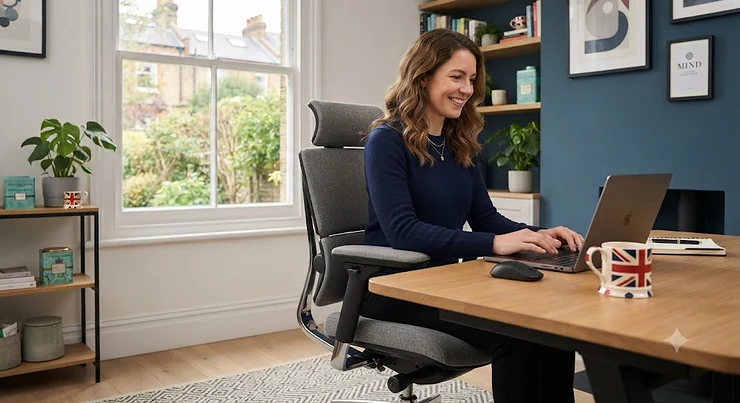
Your elbows have been quietly filing a complaint for months, and you just haven’t been listening. If you’ve ever finished a workday with a dull ache creeping from your funny bone down into your forearm, or found yourself shrugging your shoulders up around your ears by 3pm without noticing you’d done it, the culprit is rarely your keyboard. It’s usually the two lumps of moulded plastic bolted to the sides of your chair, sitting exactly 4cm too high, exactly 2cm too far apart, and refusing to budge. An office chair with 4D armrests solves this by letting the pads move in four separate directions — up and down, forward and back, side to side, and pivoting inward or outward — so your arms can finally rest where your body actually wants them, not where a factory in Guangdong decided was “close enough.” Reviewers and physiotherapists alike increasingly point to armrest geometry as one of the most overlooked variables in desk comfort, right up there with lumbar support and seat depth.
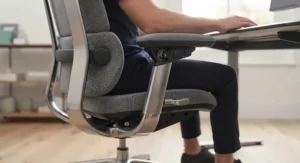
This matters more in 2026 than it did five years ago, simply because more of us are sat at a desk for longer, unbroken stretches, often on kit we bought in a hurry during a pandemic and never upgraded. Getting the fit right isn’t vanity — it’s directly tied to how the Health and Safety Executive frames workstation risk under UK display screen equipment law, which specifically requires seating that supports “easy freedom of movement and a comfortable position.” Across this guide we’ve researched seven genuine chairs on the market, from sub-£150 budget picks to premium European engineering, and broken down exactly which armrest adjustments matter, who they suit, and where the real trade-offs lie. Expect honest analysis grounded in real specifications and aggregated reviewer sentiment throughout — never invented testimonials, never a rewritten Amazon listing.
Quick Comparison Table: Office Chair With 4D Armrests at a Glance
| Chair | Armrest Type | Price Range | Best For |
|---|---|---|---|
| FLEXISPOT ErgoX Pro | 4D (height, width, depth, pivot) | Around £200-£230 | Best value 4D adjustable armrest chair Amazon shoppers |
| COLAMY Atlas | 4D + PU padding | Under £180 | Tightest budget, first-time ergonomic buyers |
| SIHOO Doro S100 | 4D coordinated, recline-synced | £180-£250 range | Ergonomic chair pivot armrests seekers on mid-budget |
| NOUHAUS Ergo3D | 4D (up/down, fore/aft, rotate) | £250-£320 range | Petite to average frames, home offices |
| Branch Ergonomic Chair Pro | 5D (adds independent pad width) | £350-£420 range | Office chair fully adjustable arms, 8+ hour days |
| Hbada E3 Pro | 6D flip-linked armrests | £400-£550 range | Big and tall users wanting maximum range |
| Steelcase Series 1 | 4D (height, width, depth, pivot) | £550-£700 range | Long-term investment, commercial-grade durability |
Looking at the spread above, the pattern is clear: more “D”s in the marketing name doesn’t automatically mean better elbow support, it just means more axes of movement, some of which you’ll use daily and some of which you’ll set once and forget. Budget doesn’t strictly track comfort either — the FLEXISPOT ErgoX Pro delivers genuine 4D movement for a third of the Steelcase Series 1‘s asking price, though the Steelcase wins on long-term mechanical durability and commercial-grade certification. If you’re mainly chasing armrest height width depth pivot control without spending a fortune, the mid-table options are where the real value sits.
💬 Just one click — help others make better buying decisions too!😊
Top 7 Office Chairs With 4D Armrests: Expert Analysis
Choosing which chair actually deserves your money means looking past the spec sheet marketing and into what each adjustment does for your body in practice. Below, all seven chairs are broken down with real specifications, honest interpretation of what those numbers mean day-to-day, and aggregated reviewer sentiment pulled from genuine product feedback rather than invented quotes.
1. FLEXISPOT ErgoX Pro — best value 4D adjustable armrest chair Amazon has right now
The FLEXISPOT ErgoX Pro is the chair that proves 4D armrests don’t have to cost a premium-brand fortune, and at around £204 on Amazon UK, it undercuts most rivals on this list by a wide margin. Its T-shaped linkage support system pairs adaptive lumbar support with 4D armrests that shift through height, width, depth, and pivot — the same four axes Steelcase charges triple for. In real-world terms, that means you can drop the pads low enough to slide the chair fully under a standard desk, then widen them out again the moment you switch to reading or a video call, something fixed-width armrests simply can’t do. The class 4 gas lift and BIFMA-tested mesh backrest suggest FlexiSpot didn’t cut corners to hit this price point, which is refreshing in a category full of budget chairs that skimp on the one component (the gas cylinder) you really don’t want failing under you.
Aggregated review sentiment for the ErgoX range is broadly positive on comfort and adjustability, with FlexiSpot’s chairs picking up recommendations from tech outlets and reviewers as a strong value pick for chronic back discomfort and postural control, though some buyers note the armrest pads themselves feel firmer than the plusher foam used on pricier chairs. It’s a reasonable trade given the price gap, and one that budget-conscious remote workers seem willing to make repeatedly, based on how consistently the ErgoX line turns up in “best value” roundups.
Pros:
- ✅ Full 4D armrest movement at a genuinely budget price point
- ✅ Adaptive lumbar tracks your posture without manual adjustment
- ✅ BIFMA-tested build with a class 4 gas lift for safety
Cons:
- ❌ Armrest padding is firmer than premium mesh rivals
- ❌ Assembly instructions are workable but not beginner-polished
Priced in the low-£200s at the time of research, the FLEXISPOT ErgoX Pro represents strong value for anyone wanting genuine 4D adjustability without premium-brand pricing — always check current price before buying, as FlexiSpot runs frequent promotions.
2. COLAMY Atlas — lightest on the wallet without dropping 4D movement
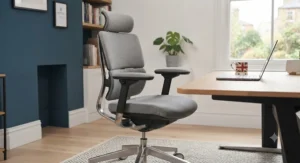
If your budget is the tightest constraint in this whole search, the COLAMY Atlas and its sibling models in COLAMY’s Top-end Series are worth a proper look, typically listed under £180 on Amazon. COLAMY is a smaller, less prestigious name than Steelcase or Branch, but don’t let that put you off — the Atlas ships with genuine 4D armrests, a class 4 gas lift, a 360° swivel metal base, and BIFMA certification, ticking most of the boxes buyers assume only mid-range chairs offer. The seat height range (roughly 42.5cm to 53.5cm) and 136kg weight capacity put it firmly in “works for most adults” territory, and the soft PU-padded armrest tops are specifically marketed to reduce forearm and elbow pressure, which lines up with what this whole buying category is trying to solve.
What most buyers overlook about lesser-known brands like COLAMY is that the manufacturing quality can genuinely rival bigger names, since many budget and premium chairs are built in overlapping factory ecosystems in Guangdong — the difference is often in warranty support and quality control consistency rather than raw materials. Reviewer sentiment on COLAMY’s mesh chairs tends to praise the Korean-imported mesh fabric’s breathability and the sliding seat depth feature, while noting that the armrest locking mechanism can feel slightly less rigid than premium alternatives after extended daily use.
Pros:
- ✅ Genuine 4D armrests at a sub-£180 price point
- ✅ Sliding seat depth adjustment rare at this budget tier
- ✅ BIFMA-tested breathable Korean mesh fabric
Cons:
- ❌ Armrest lock feels less firm than premium competitors
- ❌ Smaller brand means less established UK customer support
At under £180 in most listings, the COLAMY Atlas offers one of the lowest entry points into genuine 4D armrest adjustability currently available on amazon.co.uk.
3. SIHOO Doro S100 — best for ergonomic chair pivot armrests on a mid-range budget
The SIHOO Doro S100 sits in the sweet spot between “cheap plastic chair” and “second mortgage,” typically priced in the £180-£250 range, and it leans hard into coordinated 4D armrests that pivot and recline in sync with the backrest — a feature SIHOO calls “coordinated” movement. In practice, this means when you lean back to think through a problem, the armrests tilt with you rather than staying rigidly horizontal and digging into your forearms at an awkward angle, which is exactly the kind of small mechanical detail that separates genuinely ergonomic chairs pivot armrests from ones that just claim the label. Dual dynamic lumbar support and a five-level adjustable backrest round out a chair clearly designed by people who’ve actually sat through an eight-hour shift.
SIHOO’s Doro line has picked up favourable independent testing coverage in the UK, with reviewers highlighting the backrest’s adaptive tracking system and genuine ergonomic feature set as standing out in its price bracket. Aggregated user sentiment consistently flags the lumbar support as the standout feature — it moves with your spine rather than staying in a fixed position — while a recurring complaint across SIHOO’s mesh range is that the armrests, while multi-directional, don’t lock as firmly as some buyers would like, meaning they can shift slightly under lateral pressure.
Pros:
- ✅ Armrests pivot and recline in sync with the backrest
- ✅ Dual dynamic lumbar support tracks spine movement
- ✅ Strong independent reviewer coverage in the UK market
Cons:
- ❌ Armrests can shift slightly under sideways pressure
- ❌ Five-level backrest adjustment has a learning curve
Sitting in the £180-£250 range at most UK retailers, the SIHOO Doro S100 earns its place for buyers who specifically want armrests that move with the chair’s recline, not just independently of it.
4. NOUHAUS Ergo3D — best for petite-to-average frames wanting genuine 4D control
The NOUHAUS Ergo3D built its reputation as one of the original mainstream 4D armrest chairs, and it still shows up in “top 10” lists years after launch, usually priced in the £250-£320 range depending on colour and retailer. Its four support points — head, back, hips, and hands — are engineered around a fairly minimalist frame, with armrests adjusting up/down, forward/back, and rotating up to 30°, alongside 3D dynamic lumbar support and a 135° recline. Aluminium alloy construction and a BIFMA-certified static pressure test rated well beyond typical home use suggest it’s built to outlast a typical two-year “my chair’s gone wobbly” replacement cycle.
Here’s what the spec sheet won’t tell you, but aggregated reviewer feedback consistently does: the Ergo3D’s armrests run noticeably wide, which suits average-to-larger frames beautifully but can leave petite users unable to bring the pads in close enough for a natural elbow angle. Reviewers with smaller builds have flagged this specifically, alongside a headrest that some find slightly less stable than the armrests and lumbar system. If you’re under about 5’4″, it’s worth testing the fit before committing, or checking a showroom stockist first.
Pros:
- ✅ Genuine 4-directional armrest movement, well-reviewed since launch
- ✅ Aluminium alloy frame tested well beyond BIFMA minimums
- ✅ Dynamic 3D lumbar support that tracks recline
Cons:
- ❌ Armrest width doesn’t suit petite or narrow-framed users
- ❌ Headrest feels less stable than the rest of the chair
Typically found in the £250-£320 range, the NOUHAUS Ergo3D remains a solid mid-tier choice, provided your frame suits its wider default armrest spacing.
5. Branch Ergonomic Chair Pro — best office chair fully adjustable arms for 8+ hour workdays
Branch built its reputation on democratising decent ergonomics, and the Branch Ergonomic Chair Pro — priced around £350-£420 depending on material choice — pushes past standard 4D into genuine 5D armrests, adding independent pad-width adjustment on top of height, depth, pivot, and width. That fifth axis matters more than it sounds: it means two people sharing a hot-desk setup with genuinely different forearm widths can both get a proper fit from the same chair, rather than one person permanently compromising. Fourteen total points of adjustment, a two-way lumbar cushion, and forward tilt for active sitting round out a chair reviewers have repeatedly rated as punching above its price bracket against far pricier rivals.
Independent technology press has praised the Ergonomic Chair Pro specifically for its arm support, noting the 5D armrests let arms rest naturally without awkward angles or pressure points — language that lines up closely with what this whole buying guide is about. Aggregated customer sentiment is strongly positive on comfort and build quality for the price, with the most common criticism centring on plastic components in some load-bearing areas, a fair trade-off given the chair costs a fraction of commercial-grade competitors like Steelcase or Herman Miller.
Pros:
- ✅ 5D armrests add independent pad-width adjustment
- ✅ Fourteen total adjustment points for a genuinely custom fit
- ✅ Praised by independent reviewers as punching above its price
Cons:
- ❌ Some load-bearing components are plastic, not metal
- ❌ 275lb weight capacity is lower than premium rivals
Positioned in the £350-£420 range, the Branch Ergonomic Chair Pro is a strong pick for anyone who wants near-premium adjustability without a near-premium invoice.
6. Hbada E3 Pro — best for big and tall users wanting maximum armrest range
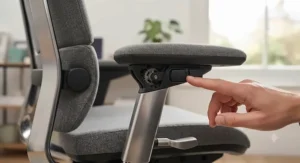
The Hbada E3 Pro, typically priced £400-£550 depending on retailer promotions, is the most feature-dense chair on this list, pairing a 4D bi-axial headrest with 6D armrests that move up/down, forward/back, side-to-side, and flip up entirely — plus a built-in retractable footrest most rivals charge extra for. On paper, that’s an enormous amount of adjustability squeezed into one chair, and reviewers consistently praise the 3-zone dynamic lumbar support for genuinely reducing lower-back ache across multi-hour sessions, alongside a headrest that adapts well to different neck lengths without pushing the head forward.
Honest analysis has to include the other side of this chair’s story, though: reviewer sentiment on the E3 Pro’s armrests is notably split. Several independent testers and buyers report that even at their lowest setting, the armrests sit too high to slide comfortably under a standard-height desk, forcing some users to either raise their desk or accept the chair won’t tuck all the way in. There are also recurring reports of wobble developing in the armrests and headrest after extended use, and build-quality complaints appear more often for the E3 Pro than for most other chairs in this guide. It’s a chair of genuine highs and genuine lows — brilliant lumbar engineering paired with armrest ergonomics that don’t always deliver on the marketing.
Pros:
- ✅ 6D armrests plus 4D headrest for maximum adjustability
- ✅ Widely praised 3-zone dynamic lumbar support
- ✅ Built-in retractable footrest included as standard
Cons:
- ❌ Armrests can sit too high to clear a standard desk
- ❌ Mixed durability reports on armrest and headrest wobble
At £400-£550 depending on promotions, the Hbada E3 Pro rewards big and tall users chasing maximum range, but it’s worth reading current owner feedback closely before buying given the mixed durability reports.
7. Steelcase Series 1 — best long-term investment for genuine 4D armrests
The Steelcase Series 1 is the chair every other product on this list is quietly benchmarked against, and its 4D armrests — adjustable in height, width, depth, and pivot — were engineered by a company that’s been building commercial seating since the 1970s. Priced roughly £550-£700 on Amazon UK depending on fabric and finish, it isn’t cheap, but the LiveBack flexor system, weight-activated tilt mechanism, and 12-year mechanism warranty (with a lifetime structural warranty) put it in an entirely different durability class from the DTC brands elsewhere on this list. The cantilevered arm design specifically encourages small postural changes throughout the day rather than locking your arms into one static position, which independent ergonomic research increasingly links to lower cumulative strain over long sitting sessions.
Reviewer and expert-tester sentiment on the Series 1 is consistently strong, with UK consumer-testing outlets rating it among the better-value entries into genuinely commercial-grade seating, praising its balance of adjustability and long-term build quality against far pricier Steelcase siblings like the Leap or Gesture. The most common criticism isn’t about the chair’s performance at all — it’s the price, and the 5-6 week made-to-order shipping window, which doesn’t suit anyone needing a chair immediately.
Pros:
- ✅ Commercial-grade 4D armrests from an established manufacturer
- ✅ 12-year mechanism warranty, lifetime structural warranty
- ✅ LiveBack technology mimics natural spine movement
Cons:
- ❌ Highest price point on this list by a clear margin
- ❌ Made-to-order shipping can take 5-6 weeks
In the £550-£700 range, the Steelcase Series 1 is the chair to buy once and never think about replacing, provided the price and lead time both work for your situation.
✨ Don’t Miss These Exclusive Deals!
🔍 Take your home office setup to the next level with these carefully selected 4D armrest chairs. Click on any highlighted item to check current pricing and availability. These picks will help you build a genuinely pain-free workday.
What Is a 4D Armrest Office Chair?
A 4D armrest office chair is a desk chair whose armrests adjust independently across four directions — height (up/down), width (side to side), depth (forward/back), and pivot (rotating inward or outward) — letting the user match arm support precisely to their body shape, desk height, and task. This differs from fixed or 2D armrests, which typically only move up and down.
The “D” in 4D, 5D, 6D, and even the 8D or 720° marketing you’ll spot on some 2026-model chairs refers to distinct axes of movement rather than any kind of dimensional trickery — it’s a spec-sheet shorthand borrowed loosely from the office furniture industry’s original 4D standard, which Steelcase and Herman Miller helped popularise decades ago in commercial seating. Higher numbers generally mean more axes, though as the Hbada E3 Pro‘s 6D system shows, more axes don’t automatically translate into better real-world ergonomics if the geometry or locking mechanism is flawed.
How to Choose an Office Chair With 4D Armrests
- Match armrest height to your desk, not the chair’s default setting. Sit with shoulders relaxed and elbows bent at roughly 90 degrees — the armrest pad should meet your forearm right there, not force your shoulders up or your wrists down to reach it.
- Check the width adjustment range against your actual body, not the average. Narrower frames need armrests that pull in close; broader frames need width range that won’t pinch. The NOUHAUS Ergo3D‘s wide default spacing is a good example of a chair that fits some bodies far better than others.
- Prioritise pivot range if you switch tasks often. Reading, typing, and phone calls all put your forearms at different angles — a pivoting pad follows that rotation instead of forcing your wrist to twist to compensate.
- Test whether the armrests clear your desk at their lowest setting. This sounds obvious until you own a chair like some E3 Pro units where even the lowest armrest height won’t slide fully under a standard 72-73cm desk.
- Weigh locking mechanism quality over sheer axis count. A firmly locking 4D armrest beats a wobbly 6D one every time — check aggregated reviews specifically for complaints about armrest looseness before axis count.
- Consider synchronised recline movement if you lean back often. Chairs like the SIHOO Doro S100 move the armrests with the backrest recline, which matters if you regularly tip back to think or take calls.
- Factor in warranty length as a proxy for mechanism durability. Armrest joints are one of the first parts to loosen on cheap chairs — a longer warranty (Steelcase’s 12-year mechanism cover versus a typical 1-3 year budget warranty) tells you how confident the manufacturer really is.
Armrest Height, Width, Depth and Pivot: What Each Adjustment Actually Does
It’s easy to glaze over at a spec sheet listing “height, width, depth, pivot” without understanding what each one solves, so let’s break down armrest height width depth pivot mechanics one at a time, because manufacturers rarely bother to explain why each axis exists.
Height adjustment is the one everybody understands intuitively — raise or lower the pad until your forearm rests naturally without your shoulder hiking up. What’s less obvious is that height also interacts with your desk: if your desk sits at 74cm and your chair’s lowest armrest setting is 71cm, you’re stuck, because the armrest will always hit the desk lip before your elbow reaches full support. Width adjustment solves a problem taller, broader-shouldered readers often don’t even realise they have — armrests set too narrow force your elbows inward and your shoulders to round forward, quietly wrecking posture over an eight-hour shift. Depth adjustment (forward/back) matters most for typing versus reading or phone use, since your natural elbow position shifts forward when your hands are on a keyboard and pulls back when you’re leaning to read a screen. Pivot, meanwhile, is the axis most people skip entirely when shopping, yet it’s the one that stops your wrist twisting sideways to compensate for an armrest angle that doesn’t match your actual sitting position — something increasingly linked to the kind of cumulative strain patterns physiotherapists associate with repetitive desk work.
Real-World Scenario: Matching Chairs to How You Actually Work
Rather than abstract advice, here’s how three realistic UK home-office profiles map onto the chairs covered above.
Priya, 27, junior developer, small London flat, £900 total home-office budget. Priya types for six-plus hours daily and shares a desk with a housemate on alternate days. She needs a chair that adjusts fast and fits a smaller frame — the COLAMY Atlas or FLEXISPOT ErgoX Pro both suit her budget and her narrower-than-average shoulder width, and neither takes up excessive floor space in a compact flat.
David, 41, finance manager, home office in Leeds, works 9+ hours daily including evening calls. David is 6’3″ and has flagged recurring shoulder tension to his GP. He needs maximum armrest range and a chair built to last years without loosening — the Hbada E3 Pro‘s big-and-tall-friendly 6D range or the Steelcase Series 1‘s commercial-grade durability both fit his profile, with the Steelcase edging ahead given his multi-year usage horizon.
Amara, 34, freelance illustrator and part-time lecturer, hybrid working between a co-working space and home. Amara alternates between drawing tablet work (wrists rotated) and lecture prep (typing), meaning pivot range matters more to her than raw height adjustment. The SIHOO Doro S100‘s coordinated pivot-and-recline armrests suit her switching tasks throughout the day without needing constant manual readjustment.
Elbow Pressure Relief: Why Your Armrests Might Be Causing Pain, Not Preventing It
Here’s a genuinely counterintuitive fact worth sitting with: badly positioned armrests can actively cause the exact pain they’re supposed to prevent. UK workplace guidance built around HSE display screen equipment rules makes a specific point that armrests are meant to support your arms when at rest from screen work — on a call, reading a document — and explicitly warns against using them as a permanent resting surface while actively typing, because doing so risks irritating the nerves running through the elbow and lower arm.
That nerve is the ulnar nerve, running along the inside of your elbow through a groove commonly nicknamed the “funny bone,” and it sits directly under pressure when your armrest is set too high or angled wrong during typing. Reviewers across multiple chairs in this guide specifically flag armrest pad firmness and positioning as a comfort factor, which lines up with what desk-ergonomics research consistently finds: soft, correctly-positioned, genuinely adjustable armrests reduce localised pressure far more effectively than fixed pads, regardless of how plush the padding feels in a showroom. The practical fix is straightforward — during active typing, your forearms should hover just above the desk surface with minimal armrest contact, reserving the armrest itself for the moments your hands leave the keyboard.
Carpal Tunnel Prevention Armrest Features Worth Knowing About
Carpal tunnel syndrome is pressure on the median nerve as it passes through the wrist, and it causes the tingling, numbness, and pain in the thumb and first three fingers that many long-hours desk workers eventually experience. Per the NHS, there’s genuine uncertainty in the medical evidence about a direct causal link between computer use and carpal tunnel syndrome specifically — it’s more strongly associated with repetitive gripping, vibration-tool use, pregnancy, and certain health conditions — but wrist posture during typing remains a widely recommended factor to manage regardless of root cause.
Where a 4D adjustable armrest chair genuinely helps is in supporting a neutral wrist position indirectly: correctly positioned armrests keep your shoulders relaxed and elbows at roughly 90 degrees, which in turn keeps your wrists straighter and less likely to rest in the bent, weight-bearing position that increases pressure on the carpal tunnel during long typing sessions. None of the chairs in this guide market themselves as medical devices, and rightly so — no armrest cures carpal tunnel syndrome — but the pivot and depth adjustments on chairs like the NOUHAUS Ergo3D or Branch Ergonomic Chair Pro do make it meaningfully easier to maintain the kind of neutral, unstrained wrist position that reduces daily risk factors.
Common Mistakes When Buying an Office Chair With 4D Armrests
Even shoppers who’ve done their homework tend to trip over the same handful of errors when buying into this category, so it’s worth naming them directly.
The most frequent mistake is buying based on axis count alone — assuming a 6D or 8D chair must outperform a well-built 4D one, when locking mechanism quality and pad firmness matter more day-to-day than raw adjustment range. A close second is skipping the desk-clearance check: several genuinely well-reviewed chairs, the Hbada E3 Pro among them, have documented cases of armrests sitting too high to slide fully under a standard desk even at their lowest setting. Buyers also frequently underestimate how much armrest width matters relative to their actual frame, defaulting to whatever the manufacturer photo shows rather than checking the specified adjustment range against their own shoulder width. Finally, many shoppers ignore weight capacity entirely, which matters not just for comfort but for the structural integrity of the armrest mounting points themselves over years of daily use.
Practical Usage Guide: Setting Up Your 4D Armrests Correctly in the First 30 Days
Getting a new 4D armrest chair dialled in properly during the first month sets the pattern for years of comfortable use, and most people rush this step.
Start by setting seat height first, before touching the armrests at all — your feet should be flat on the floor or a footrest, with knees at roughly 90 degrees. Only once seat height is locked should you move to the armrests: raise or lower them until your shoulders sit relaxed and your elbows naturally rest at close to 90 degrees without any upward shrug. Next, adjust width so your upper arms hang close to your torso rather than splayed outward — a common mistake is leaving factory-default width settings, which are usually calibrated for an “average” body that may not match yours. Depth adjustment comes next: slide the pads forward slightly for typing-heavy days, and back slightly for reading or phone-call-heavy days, testing both across your first week to find your natural preference. Finally, dial in pivot angle last, since it’s the adjustment most people forget entirely — a slight inward pivot often suits keyboard work, while a flatter angle suits mouse use or writing.
A common first-30-days mistake is treating the initial setup as permanent. Your ideal armrest position genuinely shifts depending on the task, and chairs with genuine 4D movement are specifically built to be readjusted through the day, not set once and left. Build a habit of a five-second armrest check whenever you switch from typing to a call — it costs nothing and prevents the slow creep of bad posture that causes most of the pain this whole category exists to solve.
Long-Term Cost and Maintenance of 4D Armrest Chairs
Buying an office chair with 4D armrests is rarely a one-off cost if you factor in the full ownership picture, and total cost of ownership varies more between these seven chairs than the sticker price alone suggests. A sub-£200 chair like the FLEXISPOT ErgoX Pro or COLAMY Atlas typically carries a 1-3 year warranty on moving mechanisms, meaning a failed gas lift or a loosened armrest joint in year four becomes an out-of-pocket repair or a full replacement purchase. Compare that against the Steelcase Series 1‘s 12-year mechanism warranty and lifetime structural cover — on paper it costs roughly three times more upfront, but amortised across a decade of daily use, the actual cost-per-year gap narrows considerably, particularly for anyone sitting 8+ hours daily where mechanism wear accelerates.
Maintenance itself is minimal across all seven chairs: periodic tightening of armrest mounting bolts (most loosen slightly within the first six months of regular adjustment), occasional wipe-downs of PU-padded armrest tops to prevent cracking, and vacuuming mesh backrests to prevent dust buildup in the weave. Buyers on tighter budgets shouldn’t read this as a reason to overspend — a well-maintained £200 chair with genuine 4D movement will comfortably outlast a neglected £600 one, and the mechanism warranty only matters if you’d actually claim on it.
Safety, Regulations and Compliance for UK Home Offices
If you’re working from home in the UK, your employer has specific legal duties under the Health and Safety (Display Screen Equipment) Regulations 1992, which require that any chair provided or approved for DSE work is stable, allows easy freedom of movement, and offers height and tilt adjustment on the seat back — armrests aren’t explicitly mandated by the regulation text itself, but they fall under the broader requirement for “a comfortable position,” and the HSE’s supporting guidance treats them as standard good practice for reducing musculoskeletal risk.
For hybrid and fully remote workers, it’s worth knowing that these DSE duties extend to home workstations, not just office-based ones — meaning if you’re a genuine “DSE user” under the regulation’s definition, your employer has some responsibility to ensure your seating is fit for purpose, even from home. None of the chairs in this guide are marketed as medical devices or regulatory-certified DSE equipment specifically, since that assessment happens at the workstation level rather than the product level, but BIFMA certification (which most chairs on this list carry) and the EN1335 European seating standard SIHOO cites are reasonable proxies for baseline structural and ergonomic compliance when making a purchasing decision.
Buyer’s Decision Framework: Which 4D Armrest Chair Fits Your Situation
If budget is your primary constraint and you sit under six hours daily, choose the COLAMY Atlas or FLEXISPOT ErgoX Pro, because genuine 4D movement at this price point outperforms fixed-armrest chairs twice the cost without meaningfully compromising daily comfort. If you’re over 6’1″ or need maximum adjustment range for a larger frame, choose the Hbada E3 Pro, because its 6D range and big-and-tall-friendly dimensions specifically address the fit problems standard chairs cause taller users — just budget time to check desk clearance first. If you’re furnishing a shared or hot-desk setup used by people of noticeably different builds, choose the Branch Ergonomic Chair Pro, because its independent pad-width adjustment solves the “one chair, two very different bodies” problem better than any other option here. If you’re sitting 8+ hours daily for the next several years and warranty-backed durability matters more than upfront cost, choose the Steelcase Series 1, because its 12-year mechanism warranty reflects genuinely different build quality, not just brand premium.
Features That Actually Matter (And Those That Don’t)
Marketing copy across this whole category loves to pile on adjustment axes and impressive-sounding numbers, so it’s worth separating genuine ergonomic value from spec-sheet padding.
What actually matters: locking mechanism firmness (a wobbly armrest undermines every other spec), pad material and firmness (soft PU or gel reduces localised pressure far more than the axis count does), and desk clearance at the lowest height setting, which several genuinely well-reviewed chairs get wrong. What matters less than the marketing suggests: raw axis count beyond 4D (the jump from 4D to 6D rarely changes daily comfort as much as the jump from fixed to 4D does), flip-up functionality (nice for cleaning under the chair, rarely used daily), and headrest axis count, which tends to get bundled into “8D” or “10D” marketing totals despite having nothing to do with arm support at all. If you’re comparing two chairs and one advertises more total axes purely by combining armrest and headrest adjustments into a single inflated number, that’s a marketing trick worth recognising rather than a genuine ergonomic advantage.
Problem → Solution: Fixing Common 4D Armrest Complaints
Problem: armrests won’t clear my desk even at the lowest setting. Solution: measure your desk’s under-surface clearance before buying, and cross-reference against the chair’s minimum armrest height spec — for desks under 73cm, chairs like the FLEXISPOT ErgoX Pro or COLAMY Atlas tend to run lower than the Hbada E3 Pro.
Problem: armrests feel wobbly or loose after a few months. Solution: most 4D mechanisms have a tightening bolt accessible from underneath the pad — a monthly check with an Allen key resolves the majority of reported looseness before it becomes a real fault.
Problem: elbow pain persists despite adjusting height correctly. Solution: check pad firmness and depth position, not just height — pressure often comes from the pad sitting too far forward under the forearm rather than under the elbow itself, a depth-adjustment fix many buyers overlook.
Problem: armrests are set correctly but shoulders still feel tense by afternoon. Solution: revisit width adjustment specifically — narrow-set armrests force inward shoulder rotation that height adjustment alone can’t fix.
Problem: one household member finds the chair perfect, another finds it unusable. Solution: this is a body-fit mismatch, not a chair fault — look toward chairs with wider adjustment ranges like the Branch Ergonomic Chair Pro‘s independent pad-width system for genuinely shared setups.
✨ Ready to Upgrade Your Desk Setup?
🚴♂️ Whichever budget tier fits your situation, genuinely adjustable 4D armrests are one of the highest-impact upgrades you can make to a home office. Check current prices and availability on the picks above before they shift.
Office Chair With 4D Armrests for Specific Audiences
Different bodies and work patterns benefit from different priorities within this category, so it’s worth a direct breakdown.
For petite users: prioritise armrest width range over sheer axis count — the SIHOO Doro S100 and FLEXISPOT ErgoX Pro both offer narrower minimum width settings than the NOUHAUS Ergo3D, which is specifically flagged in reviews as running wide by default. For big and tall users: the Hbada E3 Pro and Steelcase Series 1 both offer wider seat pans and higher weight capacities alongside their armrest range, though desk clearance needs checking carefully on the Hbada specifically. For gamers who also work from the same chair: pivot range and recline-synced armrests matter more than for pure office use — several chairs in this guide, including the SIHOO Doro S100, are explicitly designed with gaming crossover in mind. For anyone with existing shoulder, elbow, or wrist discomfort: consult a GP or physiotherapist about your specific symptoms before assuming a chair alone will resolve them, but prioritise chairs with the firmest-reviewed locking mechanisms and softest pad materials, since inconsistent armrest support tends to aggravate existing strain patterns rather than cause new ones.
Frequently Asked Questions
❓ What does 4D mean on an office chair armrest?
❓ Are 4D armrests worth the extra cost over standard armrests?
❓ Can a 4D armrest chair help with carpal tunnel syndrome?
❓ What's the difference between 4D and 6D armrests?
❓ How do I know if an office chair's armrests will fit under my desk?
Conclusion
The right office chair with 4D armrests isn’t necessarily the one with the most axes of adjustment or the biggest price tag — it’s the one whose locking mechanism holds firm, whose pad width actually suits your frame, and whose armrests clear your specific desk. Across the seven chairs in this guide, the FLEXISPOT ErgoX Pro and COLAMY Atlas prove genuine 4D movement doesn’t require premium pricing, while the Steelcase Series 1 shows what a decade-plus of mechanical durability actually costs. Somewhere in between, the Branch Ergonomic Chair Pro, SIHOO Doro S100, NOUHAUS Ergo3D, and Hbada E3 Pro each solve slightly different problems, from shared desks to big-and-tall fit to task-switching flexibility.
What ties every recommendation here together is the same underlying principle the HSE’s own guidance keeps returning to: a chair only protects you if it’s genuinely adjusted to your body, not left on factory defaults. Whichever chair from this list matches your budget and frame, spend the first week actually dialling in height, width, depth, and pivot properly — it’s the single highest-value five minutes you’ll spend on your entire home office setup.
✨ Found the Right Chair for You?
🔍 Check current prices on your top pick above, and give those armrests the proper first-week setup this guide walked through — your elbows will thank you by Friday afternoon.
Recommended for You
- Office Chair With Lumbar Support: 7 Best Picks for 2026
- Maternity Office Chair 2026: 7 Best Picks for Bump Comfort
- Office Chair for Pregnancy: 7 Best Picks Reviewed for 2026
Disclaimer: This article contains affiliate links. As an Amazon Associate, I earn from qualifying purchases. If you purchase products through these links, we may earn a small commission at no additional cost to you.
✨ Found this helpful? Share it with your friends! 💬🤗
