
In This Article
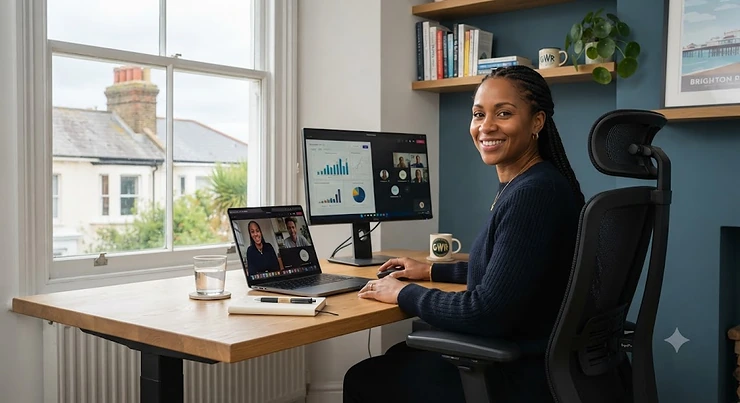
If you’ve ever sat down in a “one size fits all” office chair and felt your shoulder blades wedged against a pair of narrow wings like a filing cabinet drawer that won’t quite close, you already know why office chairs for broad shoulders deserve their own category. Most desk chairs are designed around an average bi-deltoid measurement that simply doesn’t exist for a huge number of people — rugby players, swimmers, weightlifters, and plenty of folks who are just built broader through the upper back. The result is that familiar pinch at the edge of the backrest, the constant urge to perch on the front third of the seat, and by 3pm, a dull ache creeping up between the shoulder blades.
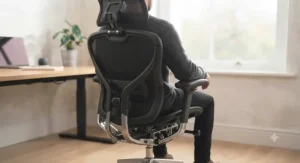
This guide takes a different approach to the usual “top 10 office chairs” list. Every product below has been chosen specifically because of its backrest width, shoulder clearance, or upper-back architecture — not just because it’s popular. We’ve dug into real specifications, aggregated genuine review sentiment, and cross-referenced UK workplace ergonomics guidance so you’re getting commentary and analysis, not a copy-pasted spec sheet. According to the Health and Safety Executive’s own posture guidance, one of the simplest fixes for shoulder strain at a screen is positioning yourself so you’re not forced to shrug or hunch — and that starts with a backrest that actually fits your frame, as HSE’s guide to good posture when using display screen equipment explains. Whether you’re kitting out a home office or replacing a chair that’s been quietly wrecking your posture for two years, you’ll find a genuinely broad-shouldered pick at every budget below.
Quick Comparison Table
| Chair | Backrest Width | Weight Capacity | Best For |
|---|---|---|---|
| SIHOO Doro C300 Pro | Wide, dynamic-tracking mesh | 150 kg | Best all-rounder for broad shoulders |
| GABRYLLY Ergonomic High Back | Wide cushioned frame | 150 kg (330 lb) | Best budget pick |
| ELABEST X100 | Extra-wide, big-and-tall frame | 181 kg (400 lb) | Best for larger builds on a budget |
| HINOMI H1 Pro V2 | Widest pillow-style headrest | 150 kg | Best premium mesh chair |
| Duorest Alpha | Dual independent backrests | 100 kg | Best for scapular freedom |
| SIHOO B100 | Wide headrest, full mesh back | 136 kg (300 lb) | Best budget mesh chair |
| Steelcase Gesture | Widest tension range, no hard edges | 180 kg | Best premium all-day chair |
Looking at the spread above, there’s a clear pattern: the chairs that suit broad shoulders best either widen the physical backrest frame (like the ELABEST X100) or rethink the backrest architecture entirely (like the Duorest Alpha‘s twin-panel design). Weight capacity is a useful secondary signal too, since chairs engineered for bigger frames tend to reinforce the whole chassis, not just the seat pan, which matters if you’re broad through the chest and shoulders as well as the hips. If you only take one thing from this table, let it be that backrest width and weight rating usually move together — a chair rated for 150 kg-plus is far more likely to have the shoulder clearance you’re after than a 100 kg budget mesh chair.
💬 Just one click — help others make better buying decisions too!😊
Top 7 Office Chairs for Broad Shoulders: Expert Analysis
Below are seven real, currently available chairs, chosen specifically for backrest width, shoulder clearance and upper-back design rather than generic popularity. We’ve grouped budget, mid-range and premium options so there’s a genuine choice at every price point, plus one deliberately unusual pick (the dual-backrest Duorest Alpha) for anyone who’s tried “wide” chairs before and still felt squeezed.
1. SIHOO Doro C300 Pro — dynamic backrest that tracks your torso as you move
What makes the SIHOO Doro C300 Pro stand out isn’t raw width alone, it’s that the backrest is built on a flexible triangular frame that flexes with your upper body rather than staying rigid. The seat and backrest are rated to 150 kg, the armrests adjust in six directions (6D), and there’s genuine seat-depth adjustment, which matters more than people expect because a seat that’s too deep pushes broader-shouldered sitters forward and off the lumbar support entirely. Based on the spec comparison with cheaper single-position chairs, the four-position backrest height adjustment (roughly 6cm of travel) is what lets taller, broader users actually line the widest part of the backrest up with their shoulder blades instead of their mid-back. This is a genuinely strong pick for anyone upgrading from a basic mesh chair without wanting to spend Steelcase money. Reviewers consistently report that the dynamic tracking system feels noticeably more forgiving during side-to-side movement than static mesh backs, though a handful mention the initial firmness of the mesh takes a week or two to “break in” comfortably. It also holds TÜV and BIFMA-style certification claims, which at least signals the frame has been through independent load testing rather than just marketing copy.
Pros:
- ✅ Dynamic backrest flexes with torso movement, not just static mesh
- ✅ Seat depth adjustment helps broader sitters reach the lumbar zone
- ✅ 150 kg capacity with a reinforced aluminium-style base
Cons:
- ❌ Mesh firmness takes a short break-in period for some users
- ❌ Backrest height travel is modest at around 6cm
Expect this one to sit in the mid-range, around £220-£280 depending on colour and current offers, check current price before buying. For the level of adjustability on offer, it represents strong value against similarly priced rivals that skip seat-depth adjustment entirely.
2. GABRYLLY Ergonomic High Back Mesh Chair — best budget wide-cushion pick
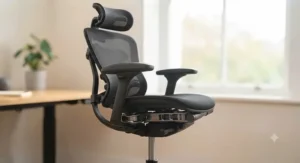
The GABRYLLY Ergonomic High Back Mesh Chair earns its spot as the budget entry specifically because it doesn’t cut the seat and backrest width to hit a low price point — something a lot of sub-£150 chairs do. It uses a wide cushion base, flip-up armrests, and a 90-120° tilt lock, with a mesh high back designed to reach up past the shoulder blades rather than stopping mid-spine. What most buyers overlook about entry-level chairs like this is that the biggest single failure point isn’t comfort, it’s the gas lift and base quality; here the frame is rated to 330 lb (roughly 150 kg), which is a genuinely reassuring number at this price. The trade-off, honestly, is armrest adjustability — you get flip-up and basic height movement, not the 4D or 6D articulation you’ll find further up this list, so if you rest your forearms heavily while typing, budget for a cheap gel pad. Aggregated review sentiment tends to flag easy assembly and surprising comfort for the price as the standout points, with the most common complaint being that the lumbar support, while present, is fairly firm and non-adjustable in depth.
Pros:
- ✅ Wide cushioned seat and high back for the price bracket
- ✅ 150 kg rated frame, unusually robust for a budget chair
- ✅ Straightforward flat-pack assembly praised in reviews
Cons:
- ❌ Armrests only flip and adjust in height, not width or depth
- ❌ Lumbar support isn’t depth-adjustable
Typically found in the under-£150 range, this is the pick if you need broad-shoulder-friendly seating on a genuinely tight budget rather than a “nice to have someday” upgrade.
3. ELABEST X100 — best for larger builds who want a footrest included
The ELABEST X100 is built and marketed as a big-and-tall chair first, ergonomic chair second, and for broad-shouldered users that ordering is exactly right. Its frame carries a 400 lb (roughly 181 kg) weight rating, the highest on this list, and the backrest is proportioned to match — wider through the shoulder zone, not just the seat pan. It ships with 5D flip-up arms and a 3D adjustable lumbar system, plus a pull-out footrest, which on paper sounds like a gaming-chair gimmick but in practice gives you somewhere to put your legs during a genuine break rather than sliding down in the seat. Here’s what to weigh: chairs built for higher weight capacities are usually heavier and stiffer overall, and the ELABEST X100 is no exception — assembly takes longer and the unit itself is noticeably chunky to manoeuvre into a home office. Reviewers in this category consistently note that the extra-wide backrest is the reason they bought it over cheaper alternatives, with complaints mostly centred on the synthetic upholstery running warm over a full working day.
Pros:
- ✅ 181 kg weight rating, the highest capacity in this line-up
- ✅ Genuinely wide backrest built for broader frames, not an afterthought
- ✅ Retractable footrest useful for proper breaks, not just recline
Cons:
- ❌ Heavier and bulkier than most chairs to assemble and move
- ❌ Synthetic upholstery can feel warm during long sessions
Expect a price in the £180-£230 range for what functions closer to a mid-range big-and-tall chair, making it one of the better value-for-capacity picks here.
4. HINOMI H1 Pro V2 — the widest headrest on the market, paired with 14-point adjustability
If there’s one chair on this list built by people who clearly obsessed over shoulder and neck geometry, it’s the HINOMI H1 Pro V2. The standout feature is the FushionMax headrest, which HINOMI markets, credibly, as significantly larger than rival headrests — and for broad-shouldered users this matters because a narrow headrest simply doesn’t reach your neck when your shoulders are pushing the whole upper body slightly wider in the seat. Beyond the headrest, you’re getting 14 points of adjustment against the 2-5 you’ll find on an average ergonomic chair, a recline range of 90-136°, and independent lumbar support that moves both horizontally and vertically. On paper this means you can genuinely dial in backrest position rather than accepting a “close enough” fit, which is the whole battle for broader frames. What the spec sheet won’t tell you, but reviewers note, is that the fold-flat frame is genuinely useful if you need to squeeze the chair under a desk with drawers, and that HINOMI’s customer support responds quickly to faulty parts like gas lifts — a detail that came up repeatedly in aggregated feedback. The main criticism raised by owners is that the headrest and backrest combination encourages a reclined posture that isn’t ideal if you need to sit bolt upright for long typing stretches.
Pros:
- ✅ Widest headrest of any chair in this comparison, built for broader necks
- ✅ 14 adjustment points versus an industry-average of 2-5
- ✅ Independent horizontal and vertical lumbar tracking
Cons:
- ❌ Encourages a semi-reclined posture, less ideal for upright typing
- ❌ Some reports of early gas-lift faults, though support resolved quickly
Sitting in the premium mesh bracket, expect a price somewhere in the £350-£450 range at the time of research — a fair ask given the adjustability on offer, though it’s worth comparing against the Steelcase pick below if budget stretches further.
5. Duorest Alpha — twin independent backrests for scapular freedom
The Duorest Alpha takes a genuinely different structural approach, and it’s the one chair here that isn’t simply “a wider single backrest.” Instead of one solid panel, the Duorest system uses two independent backrests that sit either side of your spine, moving separately as you shift and rotate. Here’s what most buyers overlook about this design: broad-shouldered discomfort often isn’t just about width, it’s about the backrest restricting the natural scapular retraction (pulling your shoulder blades back) that keeps posture upright, and a split backrest sidesteps that restriction almost entirely because there’s no central spine, just open space between the two panels. Based on the spec comparison with single-panel mesh rivals, this makes the Alpha better suited to people who rotate a lot at the desk — reaching for a second monitor, turning to talk on calls — rather than sitting rigidly forward. Aggregated reviewer sentiment is notably polarised for this reason: people who wanted a firm, structured backrest often find it strange at first, while people specifically frustrated by “hugging” wing-style backrests tend to rate it as the first chair that’s ever actually solved their shoulder pinch.
Pros:
- ✅ Twin-panel design avoids the shoulder-blade “pinch” of wing backrests
- ✅ Genuinely supports natural rotation and scapular movement
- ✅ Distinctive engineering not found in mainstream ergonomic chairs
Cons:
- ❌ Lower weight rating (around 100 kg) than the big-and-tall options here
- ❌ Unusual feel takes real adjustment if you’re used to solid backrests
Priced in the mid-to-premium bracket, roughly £300-£380 depending on the specific model and upholstery, this is a considered pick rather than an obvious one — but for the right person it solves a problem no amount of “extra width” can.
6. SIHOO B100 — full-mesh budget chair with a genuinely wide headrest
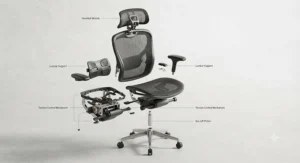
Where the SIHOO Doro C300 Pro leans on a dynamic backrest, the SIHOO B100 takes a simpler, cheaper route: a full-mesh back with a wide, adaptive headrest and zoned lumbar support, aimed squarely at the budget end without feeling like an afterthought. The 300 lb (roughly 136 kg) capacity and flip-up armrests keep the price down, but the mesh itself spans the full width of the backrest rather than tapering in toward the top, which is exactly the shape broader-shouldered sitters need. Reviewers consistently note the breathability of the full mesh as a highlight, particularly for anyone working in a warm home office without air conditioning, alongside genuinely easy self-assembly. The trade-off, and it’s a fair one at this price, is that the lumbar support is adaptive rather than independently adjustable, so if you need very specific lower-back positioning you may find it slightly generic. Still, for a chair that regularly turns up on “best budget office chair” style lists, the wide headrest is a detail that a lot of similarly priced rivals simply skip.
Pros:
- ✅ Full-width mesh backrest instead of a tapering shape
- ✅ Wide, adaptive headrest rare at this price point
- ✅ Breathable mesh praised repeatedly in aggregated reviews
Cons:
- ❌ Lumbar support is adaptive, not independently adjustable
- ❌ Lower weight rating than the big-and-tall options on this list
Typically priced under £180, this is a smart pick if you want a genuinely wide-backed mesh chair without stretching into mid-range territory.
7. Steelcase Gesture — the premium benchmark, engineered to fit a huge range of body shapes
The Steelcase Gesture sits at the top of this list for a reason: it’s one of the few chairs designed from the ground up around the idea that “average” body shapes don’t really exist. Steelcase’s own engineering material describes the Gesture as offering one of the widest tension ranges of any office chair, built around a “Core Equalizer” that links the seat and backrest as one continuous system rather than two independently adjusted parts. In practice, what this means for broad-shouldered users is that the backrest doesn’t just sit wider, it continues supporting your lower back regardless of how far you recline, so you’re not forced to choose between shoulder room and lumbar contact. The 360° armrests are arguably the standout feature for this specific audience — because they move in every direction, they relieve pressure from the wrists, neck, and shoulders in a way fixed armrests simply can’t, according to Steelcase’s own product documentation. Reviewers who’ve compared it directly against rivals like the Herman Miller Aeron or Embody consistently point to the deeper, wider seat pan and more forgiving backrest tension as the reason they chose Gesture specifically, with the most common criticism being that new owners strongly recommend trying one in a showroom first, since the recline mechanism feels different from anything else on the market.
Pros:
- ✅ Widest tension range of any chair in this comparison, per Steelcase’s own materials
- ✅ 360° armrests relieve wrist, neck and shoulder pressure in any position
- ✅ Rated for users up to 180 kg and 190 cm tall
Cons:
- ❌ Premium price puts it well beyond budget and mid-range shoppers
- ❌ Recline feel is unusual enough that trying before buying is genuinely advisable
As the flagship pick here, expect a price in the £900-£1,200 range at the time of research, sitting alongside other big-name ergonomic flagships. For anyone using a desk chair eight hours a day, five days a week, the long-term value case is genuinely strong — more on that in the cost-of-ownership section below.
How to Choose an Office Chair for Broad Shoulders
What is an office chair for broad shoulders? In short, it’s a desk chair whose backrest, headrest and armrests are proportioned to sit at least 2-3 inches wider than an average bi-deltoid (shoulder-to-shoulder) measurement, giving room for natural movement without lateral contact against the frame.
Choosing correctly comes down to a handful of measurable criteria rather than guesswork:
- Measure your shoulder width first. Stand against a wall and measure the widest point across your shoulders (bi-deltoid width). This single number does more to narrow your shortlist than any spec sheet.
- Add a 2-3 inch buffer. Ergonomic assessments commonly recommend the backrest’s widest point sit two to three inches beyond your shoulder measurement, giving room for small postural shifts throughout the day.
- Check backrest shape, not just width. A backrest that curves slightly outward at shoulder height (rather than curving inward like “hugging” wings) allows natural scapular retraction — pulling your shoulder blades back, which keeps your spine upright.
- Weigh mesh against padded foam. Mesh backrests conform to your shape rather than forcing your body into a fixed mould, which tends to suit broader, more muscular frames better than dense foam wings.
- Look at the weight rating as a proxy for frame strength. Chairs built for higher capacities generally reinforce the whole chassis, which correlates strongly with a wider, sturdier backrest.
- Prioritise seat depth adjustment. A seat that’s too deep pushes you forward, off the lumbar support, which cancels out even a genuinely wide backrest.
- Test the armrests’ width adjustment. Armrests that only move up and down do nothing for shoulder room; look for width and pivot adjustment so your arms aren’t forced inward.
Backrest Width: What Actually Matters
Backrest width is the single most misunderstood spec on an office chair listing, largely because manufacturers rarely publish it in a way that’s directly comparable. Total backrest width (the outer measurement) is nearly useless on its own — what actually matters is the clearance at shoulder height specifically, since most backrests taper inward as they rise, which is precisely the point where broader users need the most room. A chair with a 50cm backrest at the base can still pinch badly at shoulder level if the frame narrows sharply toward the top, so the base measurement flatters chairs that don’t deserve it.
The most reliable field heuristic, borrowed from ergonomic assessments, is straightforward: the widest point of the backrest should sit at least 2-3 inches wider than your bi-deltoid measurement, with that buffer available specifically at the height your shoulder blades actually sit, not just somewhere on the frame. This is why chairs like the ELABEST X100 and Steelcase Gesture perform well here — the width is engineered into the load-bearing shoulder zone, not just the decorative outer edge. Where this gets genuinely useful in practice is when comparing two chairs with near-identical listed widths: the one with a straighter, less tapered profile will almost always feel roomier at the point that counts, even if the raw spec numbers look similar on paper.
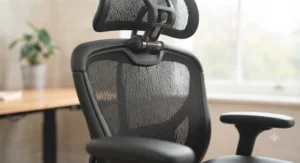
Shoulder Room Ergonomics Explained
Shoulder room ergonomics is really about one biomechanical function: your ability to retract your scapulae (pull your shoulder blades together and back) without hitting resistance from the chair. When a backrest is too narrow or curves inward like a bucket seat, it physically blocks this movement, and your body compensates by rounding the upper back forward instead — which is precisely the slouched posture that HSE guidance flags as a driver of shoulder and upper-back strain during long periods at a screen, as outlined on the HSE’s back pain at work overview.
Over a working day, that compensation adds up. Micro-movements that would normally be harmless — reaching for a second monitor, twisting to grab a mug, shifting weight from one side to the other — instead create small collisions with the frame, and your body starts avoiding them rather than making them. The knock-on effect is a more static, rigid sitting posture overall, which is the opposite of what modern ergonomic guidance recommends. Chairs that solve this properly, like the Duorest Alpha‘s split-backrest design or the outward-curving shoulder zone on chairs like the Steelcase Gesture, aren’t just more comfortable in the abstract — they measurably permit more of the small postural variation that keeps muscles from locking into one static load pattern for eight hours straight.
Upper Back Support Design: Features That Actually Help
Not every feature marketed as “upper back support” earns its place, and this is where genuine expert filtering matters more than marketing copy. A tall backrest alone doesn’t guarantee upper-back support — height and width are two separate specs, and plenty of tall-backed chairs still taper narrow exactly where broad-shouldered users need width most.
The features genuinely worth prioritising are: a backrest that curves outward (not inward) at shoulder height, allowing the shoulder blades to move freely; an adjustable headrest that reaches your actual neck position rather than sitting behind your shoulders, which is a common complaint when the headrest is undersized relative to the backrest, as flagged repeatedly in aggregated reviews of budget chairs; and a mesh or dynamic-tracking backrest that flexes with torso rotation rather than staying rigid, since a fixed, foam-padded upper back tends to create pressure points precisely at the shoulder blade rather than distributing load evenly. Independent lumbar-to-shoulder tension, where the backrest can be tuned separately at different heights, is a genuinely premium feature — it’s present on chairs like the HINOMI H1 Pro V2 and Steelcase Gesture, and largely absent below the mid-range price bracket, which is a fair trade-off to understand before you buy rather than after.
Office Chairs for Broad Shoulders and Back Support
Shoulder width and back support aren’t separate problems, they’re the same problem viewed from two angles. A chair that’s wide enough for your shoulders but has weak or non-adjustable lumbar support will still leave you slouching by mid-afternoon, because your lower back collapses forward and drags your upper back and shoulders out of alignment with it — at which point even the roomiest backrest stops doing its job.
This is why the strongest picks on this list, including the SIHOO Doro C300 Pro and HINOMI H1 Pro V2, pair backrest width with genuinely adjustable lumbar systems rather than a single fixed lumbar bump. NHS and NHS-affiliated physiotherapy guidance consistently emphasises sitting well back in the chair with the lower back properly supported as one of the simplest, most effective posture fixes available, and a chair that combines shoulder clearance with real lumbar adjustment lets you actually follow that advice instead of fighting your own furniture. If you’re specifically dealing with both a broader frame and existing back discomfort, prioritise seat depth adjustment alongside backrest width — a seat that’s slightly too deep is one of the most common reasons people end up perched forward, off the lumbar support entirely, no matter how well the backrest itself is shaped.
Wide Back Support for a Broad Build: What to Look For
For a genuinely broad build — meaning wide through the shoulders and often the upper chest as well — the calculus shifts slightly from pure backrest width toward overall frame proportions. It’s worth checking seat width as well as backrest width, since a broader build often needs more room through the hips and thighs too, not just the upper back; this is where big-and-tall specific chairs like the ELABEST X100 genuinely outperform standard “wide backrest” chairs that only widen the top half of the frame.
Armrest width adjustment matters disproportionately here. Fixed-width armrests that were fine for a narrower user will actively push a broader build’s arms inward and up toward the shoulders, creating exactly the tension you’re trying to avoid — look for armrests with width, not just height, adjustment, ideally combined with pivot movement so your elbows can sit naturally rather than being forced into a narrow lane. Weight capacity, again, is a genuinely useful shortcut here: chairs engineered for higher capacities are reinforced throughout the whole chassis, which in practice means wider gas lifts, wider bases, and — most relevantly — wider backrest frames, since manufacturers rarely reinforce a chair’s structure without also widening the parts a bigger body actually touches.
Common Mistakes When Buying an Office Chair for Broad Shoulders
The single most common mistake is shopping by seat width alone. Plenty of “wide seat” chairs marketed for bigger bodies focus entirely on hip and thigh room while leaving the backrest essentially unchanged, which does nothing for shoulder discomfort specifically — always check backrest width and shape as a separate spec from seat width.
A second frequent error is ignoring backrest shape in favour of raw measurements. As covered above, a wide base that tapers sharply toward the top can measure impressively on paper while still pinching exactly where it matters. Third, buyers regularly skip seat depth adjustment, assuming it’s a minor extra rather than understanding that an ill-fitting seat depth pushes the whole body forward, off the lumbar support, undoing the benefit of an otherwise well-chosen wide backrest. Fourth, there’s a tendency to buy on brand reputation alone — a well-known ergonomic brand’s entry-level chair can genuinely have a narrower backrest than a lesser-known big-and-tall specialist’s mid-range model, so specs need checking product by product rather than assumed from the brand name. Finally, many buyers underestimate how much armrest design affects shoulder comfort, focusing entirely on the backrest and forgetting that fixed-width armrests can force the shoulders inward regardless of how roomy the backrest itself is.
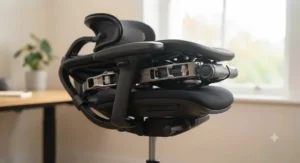
Office Chairs vs Standard Chairs: Benefits vs Traditional Alternatives
| Factor | Broad-Shoulder Office Chair | Standard Office Chair | Best For |
|---|---|---|---|
| Backrest width at shoulder height | Engineered with 2-3″ buffer | Often tapers narrow | HINOMI H1 Pro V2, Steelcase Gesture |
| Scapular movement | Curves outward or splits (Duorest) | Curves inward, restricts movement | Duorest Alpha |
| Armrest adjustability | Width + pivot + height | Height only, if adjustable at all | Steelcase Gesture |
| Weight/frame reinforcement | Reinforced chassis, higher capacity | Standard capacity, lighter frame | ELABEST X100 |
The clearest takeaway from this comparison is that standard office chairs aren’t necessarily worse-built, they’re simply proportioned around a narrower assumption of who’s sitting in them, which shows up specifically at shoulder height rather than anywhere else on the chair. Broad-shoulder-specific chairs earn their higher average price largely through reinforced frames and wider load-bearing zones rather than cosmetic differences, which is why the value case holds up even against a cheaper standard chair that looks similar in a product photo. If you’re deciding whether the upgrade is worth it, the honest answer is that it depends heavily on hours logged per day — for under four hours daily, a well-chosen standard chair with good lumbar support may be entirely adequate, but for a full working day, the shoulder-specific design differences compound noticeably over weeks and months.
✨ Don’t Miss These Exclusive Deals!
🔍 Take your home office setup to the next level with these carefully selected wide-backrest chairs. Click on any highlighted pick above to check current pricing and availability. These chairs are built to give your shoulders the room they’ve been missing all along!
Practical Setup and First 30 Days Guide
Getting a new office chair right isn’t just about unboxing it — the first month is where most people either lock in good posture habits or quietly slip back into old ones. Start by setting seat height so your feet sit flat on the floor with knees at roughly 90 degrees, then adjust backrest height so the widest point of the frame lines up with your actual shoulder blades, not your mid-back; this single adjustment is the one broad-shouldered buyers skip most often, since many chairs ship with the backrest set to a “default” position that suits an average frame.
Next, dial in seat depth if your chair offers it — you should be able to fit roughly two to three fingers between the back of your knee and the front edge of the seat while your lower back stays in contact with the lumbar support. Set armrests so your shoulders stay relaxed rather than shrugged, adjusting width outward if your chair allows it, since narrow armrests are one of the most common causes of ongoing shoulder tension even on an otherwise well-fitted chair. In the first 30 days, resist the urge to over-tighten recline tension immediately; most ergonomic chairs, including the SIHOO Doro C300 Pro and HINOMI H1 Pro V2, benefit from a looser initial tension setting that you gradually firm up as you learn how far you naturally lean back during the day. Finally, build in a habit of standing and moving every 30-45 minutes — no chair, however well-fitted, replaces the basic need for regular movement that occupational health guidance consistently emphasises.
Real-World Scenarios: Who Needs Which Chair
Consider a university researcher, broad through the shoulders from years of competitive swimming, working 7-8 hours a day on a tight postgraduate budget. For this profile, the SIHOO B100 or GABRYLLY Ergonomic High Back Mesh Chair make the most sense — both deliver genuine backrest width without the premium price tag, and the lighter overall build suits a shared house or flat where the chair might need moving between rooms occasionally.
Now picture a software developer in a permanent home office, broad-shouldered and over six feet tall, sitting nine or ten hours most days with existing mild shoulder tension from years of desk work. Here, the calculus shifts firmly toward the HINOMI H1 Pro V2 or Steelcase Gesture — the investment is justified by hours logged, and features like independent lumbar tracking and 360° armrests deliver compounding value over years rather than months. Finally, consider someone specifically frustrated by “hugging” backrests that pinch every time they twist to reach a second monitor, who has already tried two or three conventional wide chairs without success. This is exactly the profile the Duorest Alpha‘s split-backrest design was built for — not because it’s objectively the “best” chair on this list, but because it solves a structural problem that no amount of extra width on a single-panel backrest ever fully resolves.
Safety, Regulations and Compliance Guide
If you’re setting up a home working station in the UK, it’s worth knowing that employers have specific legal obligations under the Display Screen Equipment framework, even for remote workers. According to guidance from the Health and Safety Executive for Northern Ireland on display screen equipment, employers should ensure DSE users can achieve a comfortable, sustainable posture, including keeping forearms roughly horizontal and shoulders relaxed rather than shrugged — and a poorly fitted chair is one of the most common reasons that standard isn’t met, broad-shouldered or not.
On the product side, look for chairs that reference recognised safety and quality standards rather than vague marketing claims — BS EN 1335 is the relevant UK/EU standard for office work chairs, and several manufacturers in this comparison, including SIHOO and HINOMI, cite independent testing such as SGS-certified gas cylinders and BIFMA-aligned load testing. These aren’t just box-ticking exercises: a gas lift rated to a genuine independent standard is meaningfully less likely to fail under the higher loads that broader, heavier frames put through it daily. If you’re VAT-registered or working through an employer’s equipment budget, it’s also worth asking whether your organisation runs a formal DSE self-assessment, since a documented discomfort report is often the fastest route to getting a properly specified chair approved and funded.
Long-Term Cost and Maintenance
The upfront price gap between a budget mesh chair and a flagship like the Steelcase Gesture looks stark in isolation, but the cost-per-year calculation tells a different story once you factor in realistic lifespan. A well-built premium chair with a 12-year warranty, spread over daily use, can work out cheaper per year of ownership than replacing a budget chair’s gas lift or frame every 18-24 months — which is a genuinely common outcome for chairs pushed beyond their intended weight or usage capacity.
That said, this isn’t a blanket case for always buying premium. If you’re working under four hours a day at a desk, a well-specified budget chair like the SIHOO B100 or GABRYLLY Ergonomic High Back Mesh Chair, replaced every few years, is entirely rational and arguably better value than a flagship chair sitting mostly idle. Maintenance-wise, keep gas lifts and casters free of dust and hair (a five-minute job every couple of months extends their life noticeably), check armrest and backrest bolts for looseness every few months since chairs handling higher loads work their fixings harder, and avoid leaving mesh backrests in direct sunlight for extended periods, since UV exposure is one of the more common causes of premature mesh degradation reported in long-term ownership reviews.
Frequently Asked Questions
❓ What is the best office chair for broad shoulders on a budget?
❓ How do I know if a chair's backrest is wide enough for my shoulders?
❓ Are mesh or padded office chairs better for broad shoulders?
❓ Do wide office chairs cost more than standard ones?
❓ Can a narrow office chair cause shoulder or upper back pain?
Conclusion
Finding the right office chair for broad shoulders really comes down to treating backrest width, shape, and armrest adjustability as separate, checkable specs rather than trusting a product photo or brand reputation to sort it out for you. Whether that’s the budget-friendly reach of the SIHOO B100, the big-and-tall reinforcement of the ELABEST X100, the unconventional twin-backrest freedom of the Duorest Alpha, or the flagship engineering of the Steelcase Gesture, there’s a genuinely well-suited option across every price point covered here, not just a single “best overall” pick dressed up seven different ways.
The broader lesson, pun very much intended, is that “ergonomic” only means something when it’s measured against your actual body, not an industry-average silhouette. A chair with a two-to-three-inch shoulder buffer, genuine seat depth adjustment, and armrests that move outward as well as up will outperform a more expensive chair that ignores those specifics, every time. Take your own shoulder measurement, cross-reference it against the comparison table above, and you’ll shortlist the right chair far faster than scrolling through star ratings alone. Your shoulders, quite literally, carry the evidence of getting this wrong — so it’s worth getting it right the first time.
✨ Ready to Upgrade Your Setup?
🚀 Compare current prices on today’s top pick for your budget and finally give your shoulders the room they deserve. Check availability before stock or pricing changes!
Recommended for You
- Office Chairs For Large Frames: 7 Genuinely Supportive Picks 2026
- Plus Size Office Chairs: 7 Best Comfortable Picks for 2026
- 7 Best XXL Office Chairs UK 2026: Big, Bold; Built to Last
Disclaimer: This article contains affiliate links. As an Amazon Associate, I earn from qualifying purchases. If you purchase products through these links, we may earn a small commission at no additional cost to you.
✨ Found this helpful? Share it with your friends! 💬🤗
