
In This Article
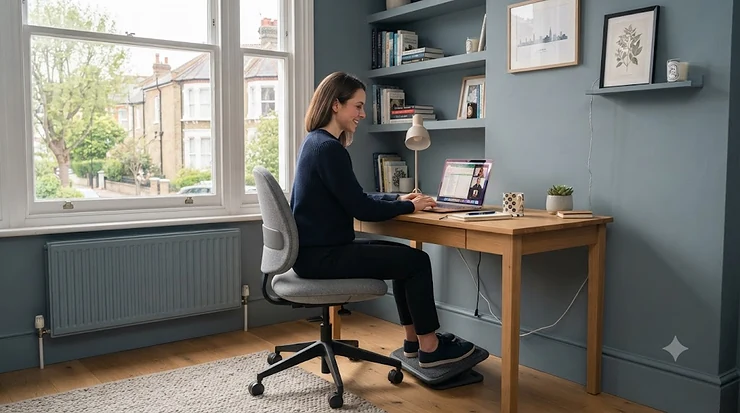
Here’s a scene most petite people know a little too well: you sit down in a “standard” office chair, and your feet go looking for the floor like they’re feeling around in the dark. Your knees hit the seat edge before your back reaches the lumbar bump. The armrests sit somewhere near your ears. It’s not you — it’s the chair. Most office seating is built around averages, and if you’re under about 5’4″, those averages simply don’t include you.
petite office chairs solve a genuinely different engineering problem than regular seating does. What is a petite office chair? In short, it’s a task chair built with a shorter minimum seat height, a shallower seat pan, and lower-positioned lumbar and armrest ranges — all scaled down so a smaller frame gets proper contact and support instead of “make do” seating. This matters more than it sounds: the Health and Safety Executive’s guidance on display screen equipment workstations specifically flags seat height and depth as risk factors for musculoskeletal strain, and a footrest is only ever a workaround, not a fix.
Over the course of researching this guide, we dug into real specifications, verified aggregated review sentiment, and compared seven genuinely different petite office chairs available through amazon.co.uk — from budget mesh chairs under £150 to a Herman Miller built specifically for smaller sitters. Along the way we’ll cover seat pan width, adjustable arms, narrow-seat construction, and the ergonomics that make or break comfort for a smaller frame. No fluff, no guesswork — just what actually fits.
Quick Comparison Table: Petite Office Chairs at a Glance
| Chair | Min. Seat Height | Price Range | Best For |
|---|---|---|---|
| Songmics Ergonomic Office Chair | Low | Under £160 | Tightest budgets |
| Sihoo Doro C300 | Low-mid | £250-£340 range | Narrow seat pan on a budget |
| Flexispot C7 Lite | Low | £200-£280 range | Small rooms & lighter builds |
| Cabevibe S2 Petite | Very low | £300-£400 range | Purpose-built petite sizing |
| Autonomous ErgoChair Pro | Low | £350-£420 range | Low-sitting lumbar support |
| Steelcase Series 1 | Low-mid | Around £450-£550 | Seat depth slider + long warranty |
| Herman Miller Aeron (Size A) | Lowest in class | Premium, over £1,300 | Sub-5’4″ frames wanting the best |
Reading across this table, the story is really one of trade-offs between price and precision. Budget options like the Songmics Ergonomic Office Chair get you a genuinely lower seat height for not much money, but they typically skip the seat-depth adjustment that lets you fine-tune thigh support. Step up to the Steelcase Series 1 or Herman Miller Aeron Size A and you’re paying for engineering that’s been specifically validated against smaller body measurements, not just a shorter gas lift bolted onto a standard frame.
💬 Just one click — help others make better buying decisions too!😊
Top 7 Petite Office Chairs: Expert Analysis
Choosing a petite office chair isn’t really about finding the “best” chair in some abstract sense — it’s about finding the one whose measurements happen to intersect with yours. The seven chairs below span budget to premium, and each earns its spot for a different reason. We’ve leaned on manufacturer specifications and aggregated review sentiment throughout, flagging clearly where verified customer feedback exists and where it’s thinner on the ground.
1. Songmics Ergonomic Office Chair — best budget mesh pick under £160
The Songmics mesh desk chair is the entry point of this list, and it earns that spot by not pretending to be anything it isn’t. Its breathable mesh back, adjustable lumbar cushion, and tilt-lock mechanism cover the ergonomic basics without the price tag of a “proper” ergonomic brand.
On paper, this is a fairly conventional mid-back mesh chair, but the seat height range sits low enough that many sub-5’4″ sitters can get their feet flat on the floor without a footrest — something a lot of chairs at this price simply don’t manage. The lumbar support is fixed in shape rather than dynamically adjustable, so it works best for people whose lower back curve is fairly average once the chair height is dialled in correctly.
Based on the spec comparison with pricier rivals on this list, this chair is squarely aimed at first-time buyers or anyone kitting out a home office on a tight budget rather than someone who’s spent years chasing the perfect ergonomic fit. It’s not going to out-adjust a Steelcase, and it isn’t trying to.
Reviewers consistently report that assembly is straightforward and that the mesh keeps the seat cool during long sessions, though a handful mention the armrests feel a little wobbly under sustained lateral pressure. The Songmics Ergonomic Office Chair doesn’t carry the review depth of the bigger-name brands on this list, so treat the aggregate sentiment as a useful signal rather than a guarantee.
Pros:
- ✅ Genuinely low seat height suits shorter sitters without a footrest
- ✅ Breathable mesh back stays cool over long sessions
- ✅ Easy, tool-light assembly according to buyer feedback
Cons:
- ❌ Armrests lack the multi-directional adjustment of pricier chairs
- ❌ Fixed lumbar shape won’t suit every lower-back curve
At under £160, the Songmics Ergonomic Office Chair is easily the most accessible chair here, and for anyone who just needs their feet on the floor without spending big, it delivers on the one thing that matters most.
2. Sihoo Doro C300 — best narrow seat pan for the price
The Sihoo Doro C300 has picked up a reputation in tech and design press as an “affordable alternative” to premium ergonomic mesh chairs, and the seat pan is exactly where that reputation is earned for petite sitters. Independent reviewers have specifically flagged its narrower seat pan and lower maximum height as a limitation for tall or wide-framed users — which is precisely the flip side of why it works well for smaller frames.
The dynamic lumbar support flexes with your spine rather than locking into a single fixed curve, which several reviewers describe as feeling supportive without being rigid or corrective. Combined with 3D-adjustable armrests and an adjustable headrest, this is a genuinely feature-rich chair for its price bracket. What most buyers overlook about this model is that its narrower build, which some taller reviewers count as a downside, is precisely the dimension that makes it comfortable for a smaller frame rather than something to work around.
Reviewers consistently note the mesh webbing feels more substantial than other mid-range chairs, with a pleasant amount of spring to it, and several specifically praise the lumbar support as feeling like gentle, constant contact rather than a hard bump digging into the back. The recurring criticism across multiple independent tests is the armrests, which move quite freely and can shift unexpectedly when you lean on them to stand up or resettle.
Pros:
- ✅ Narrower seat pan naturally suits petite and slim frames
- ✅ Dynamic lumbar support flexes rather than staying rigid
- ✅ Bright, light colour palette available alongside standard black
Cons:
- ❌ Armrests can shift unexpectedly under lateral pressure
- ❌ Assembly reported as more fiddly than average
Sitting in the £250-£340 range on amazon.co.uk at the time of research, the Sihoo Doro C300 offers a strong value verdict for anyone who’s specifically been told “you’re too small for this chair” before — because here, the opposite is true.
3. Flexispot C7 Lite — most compact frame for small rooms
Where the standard Flexispot C7 line is explicitly built for taller users (reviewers recommend it for 5’4″ and up, with some testers over 6’2″ finding the headrest only just tall enough), the C7 Lite variant flips that brief entirely. It’s a deliberately scaled-down version aimed at petite frames and smaller working spaces.
The dimensions tell the story: a seat height adjustment range of roughly 16.3–17.3 inches and an overall lighter build than its bigger sibling, at around 45 pounds for the mesh version versus the standard C7’s 55-plus. In practice, this means less strain wrestling it into position during assembly and a genuinely lower floor for the seat height, rather than a “petite” label slapped on an unchanged frame.
The adjustable lumbar support and 3D armrests carry over from the full-size C7 range, so you’re not sacrificing adjustability just because the chair itself is smaller — you’re getting the same control system recalibrated for a smaller body. Reviewers highlight the compact design as a genuine strength for anyone working in a boxroom, corner desk, or shared space where a bulky executive chair simply won’t fit.
Pros:
- ✅ Purpose-scaled for petite frames, not just relabelled
- ✅ Highly adjustable lumbar support and 3D armrests
- ✅ Lighter and easier to manoeuvre than full-size equivalents
Cons:
- ❌ Limited colour options compared with the standard C7 range
- ❌ Foam seat variant less breathable than full mesh alternatives
At a price range of around £200-£280, the Flexispot C7 Lite earns its place here as proof that “petite” doesn’t have to mean “compromise” — it’s the same adjustability logic, just built to different measurements.
4. Cabevibe S2 Petite — the only chair on this list built specifically for petite sizing
Every other chair in this round-up is a general-purpose office chair that happens to work well for smaller frames. The Cabevibe S2 Petite is different: it’s designed from the ground up around a compact ergonomic fit, with a lower seat height, shorter seat depth, and low-position adjustable lumbar support as its core selling points rather than an afterthought.
The specification sheet backs this up in a way that’s rare at this price point — a claimed fit range from around 4’9″ to 5’11”, flip-up armrests with narrow spacing specifically for petite frames, and a footrest built into the design rather than sold as a separate accessory. Here’s what the spec sheet won’t tell you outright, but the design logic makes clear: narrow armrest spacing matters just as much as seat height, because standard-width arms often force smaller users to reach outward rather than resting their elbows naturally.
Because this is a newer entrant to the market, the volume of independently verified customer reviews is thinner than for the more established names on this list — an honest gap worth flagging rather than glossing over. What available buyer feedback does confirm is that the compact build and narrow arm spacing genuinely register as a difference for smaller users switching from a standard-size chair, which lines up with the stated design brief.
Pros:
- ✅ Purpose-built proportions rather than a scaled-down standard chair
- ✅ Narrow arm spacing suited to petite frames
- ✅ Built-in footrest and low-position lumbar as standard
Cons:
- ❌ Smaller review pool than more established competitors
- ❌ Less widely stocked than mainstream brands on amazon.co.uk
Priced in the £300-£400 range, the Cabevibe S2 Petite is the value verdict for anyone who’s tired of adapting general chairs and wants something engineered around their measurements from the start.
5. Autonomous ErgoChair Pro — lowest-sitting lumbar support in this lineup
The Autonomous ErgoChair Pro has built a specific reputation among petite reviewers for one reason above all others: its lumbar support slides down further than most competitors, which matters enormously for anyone with a shorter torso. A fixed or high-set lumbar pad on a petite frame typically lands in the middle of the back rather than the lower spine, which defeats the point entirely.
Independent testing backs this up — reviewers around 5’4″ and under have specifically praised how the lumbar adjustment reaches low enough to hit the actual small of the back, rather than stopping short. The armrests are 4D-adjustable, meaning they move up, down, forward, back, and pivot inward, which several petite-focused reviews highlight as reducing shoulder strain by letting the arms sit closer to the body rather than stretching outward to reach standard-width supports.
Based on the spec comparison with the Duramont and similar budget chairs we researched for this guide (both of which were consistently flagged by reviewers as running too deep in the seat for shorter users), the ErgoChair Pro’s seat proportions are noticeably more forgiving for anyone under 5’5″. Build quality reviews are broadly positive, though more than one tester noted a fair amount of plastic in the construction relative to the price, which is a fair trade-off to flag rather than gloss over.
Pros:
- ✅ Lumbar support slides lower than most rivals for shorter torsos
- ✅ 4D armrests pull inward to reduce shoulder reach
- ✅ Highly adjustable overall for the mid-range price point
Cons:
- ❌ Noticeable amount of plastic in the build for the price
- ❌ Mesh seat base can feel firm over very long sessions
In the £350-£420 range, the Autonomous ErgoChair Pro stands out specifically for the lumbar geometry — a detail easy to overlook on a spec sheet but immediately noticeable in daily use for a shorter back.

6. Steelcase Series 1 — best seat-depth slider under £500
Steelcase built its reputation on commercial-grade chairs, and the Series 1 brings a scaled-down version of that engineering to a price point closer to consumer chairs. The headline feature for petite buyers is the seat depth slider — a genuine adjustment (not just a fixed seat pan) that lets shorter-thighed sitters pull the seat pan back so the front edge doesn’t press into the back of the knee.
Specs put the seat height range at roughly 16.5–21.5 inches with seat depth adjusting around 17.75 inches, backed by a 12-year multi-shift warranty that reflects genuine commercial build standards rather than a marketing number. Independent testing has flagged the lumbar support as offering only one level of firmness rather than the fully independent height-and-firmness control found on pricier Steelcase models like the Leap — a fair limitation to note if lower-back support is your top priority.
What most buyers overlook about the Series 1 is that the seat depth slider is unusual at this price point full stop, let alone specifically for petite sitters — most sub-£500 chairs don’t offer it at all, forcing shorter-legged users to either live with knee pressure or hunt for aftermarket cushions. Reviewers describe the armrests as 4D and genuinely functional, matching adjustability normally reserved for chairs twice the price.
Pros:
- ✅ Seat depth slider is rare at this price point
- ✅ Backed by a genuinely long 12-year commercial warranty
- ✅ 4D armrests match pricier chairs’ adjustability
Cons:
- ❌ Single-firmness lumbar lacks independent depth control
- ❌ Some testers find the seat angled slightly too far forward
Sitting around £450-£550, the Steelcase Series 1 is the value verdict for anyone who wants commercial-grade longevity without commercial-grade pricing — and who specifically needs that seat depth adjustment to stop knee pressure.
7. Herman Miller Aeron (Size A) — best premium fit for sub-5’4″ frames
The Herman Miller Aeron is available in three sizes — A, B, and C — a detail that matters enormously here because Size A is the only chair on this entire list engineered from a completely separate mould rather than adjusted from a standard frame. It’s built for users roughly 4’10” to 5’4″ and around 40-68kg, with the lowest minimum seat height of any chair in this comparison.
Here’s what the spec sheet won’t tell you but the sizing logic makes obvious: because Size A is a genuinely different shell, not just a lowered gas cylinder on the same frame, the proportions of the backrest, seat pan width, and lumbar zone are all scaled down together. That’s structurally different from every other chair on this list, where petite-friendliness comes from adjustment range rather than a resized frame. The trade-off is what you’d expect — this is by a wide margin the most expensive chair here.
Reviewers and long-term owners consistently highlight the 8Z Pellicle suspension mesh as running cooler and holding its shape for years longer than foam-based alternatives, and the chair carries a 12-year warranty covering 24/7 use, which is unusually generous even among premium brands. On aggregated forum and review sentiment, petite users specifically call out how much easier it is to hit a genuinely ergonomic position without stacking cushions or footrests underneath — one widely shared account from a 5’1″ owner described the adjustability as making the fit feel effortless rather than compromised.
Pros:
- ✅ Purpose-built Size A shell, not just a lowered standard frame
- ✅ Breathable Pellicle mesh with strong long-term durability
- ✅ Exceptional 12-year, 24/7-use warranty
Cons:
- ❌ Premium pricing puts it well above every other chair here
- ❌ No integrated headrest included as standard
At well over £1,300 depending on configuration, the Herman Miller Aeron (Size A) is squarely an investment buy — but for anyone whose petite frame has genuinely limited their chair options for years, the value verdict is that this is the closest thing to a chair built around you rather than adapted for you.
Practical Usage Guide: Setting Up Your Petite Office Chair Correctly
Buying the right chair only solves half the problem — the other half is setting it up properly, and this is where a surprising number of petite buyers quietly undo all their good work. Start with seat height before anything else: lower the chair until your feet sit flat on the floor with your knees at roughly a 90-degree angle, not before. It’s tempting to raise the chair to desk height first and sort the feet out later with a footrest, but that approach treats the footrest as the default rather than the backup plan it should be.
Next comes seat depth, if your chair offers it. Sit back fully into the chair and check the gap between the front edge of the seat and the back of your knee — aim for roughly two to three finger-widths of clearance. Too little gap and the seat edge presses into circulation-restricting territory; too much and your lower back loses contact with the backrest entirely, which defeats the point of any lumbar support you’ve paid for.
Lumbar height comes third. Many petite users make the mistake of leaving the lumbar support at its factory default, which is usually calibrated for an average-height torso and therefore sits too high on a shorter spine. Adjust it down until the curve of the support genuinely meets the curve of your lower back — you should feel gentle, continuous contact rather than a bump you’re arching away from.
Finally, revisit the setup in the first 30 days. Chairs settle, gas lifts can drift slightly, and your own sense of “correct” often shifts once your body adjusts to proper support after months of compensating. A five-minute recheck after the first month catches small drifts before they become habitual slouching.
Real-World Scenarios: Matching a Petite Office Chair to How You Actually Work
Consider Priya, 5’1″, working from a small spare bedroom four days a week on a budget that tops out around £200. For her, seat height and price matter more than premium materials — something like the Songmics Ergonomic Office Chair or the Flexispot C7 Lite solves the immediate problem of feet dangling above the floor without demanding a big spend, and the compact footprint suits a room that’s doing double duty as an office and a guest room.
Then there’s James, 5’3″, a graphic designer who sits for nine or ten hours most days and has started noticing genuine lower-back fatigue by mid-afternoon. For someone in this position, chasing the cheapest option would be a false economy — the lumbar geometry of the Autonomous ErgoChair Pro or the seat-depth precision of the Steelcase Series 1 matters far more when the sitting hours stack up daily, and the extra spend pays for itself in fewer aching afternoons.
And consider Aisha, 5’0″, a solicitor working from a home office she’s finally furnishing properly after years of “getting by” on hand-me-down chairs. Budget isn’t the constraint here — fit is, after years of chairs that never quite worked. For her, the Herman Miller Aeron (Size A) or the purpose-built Cabevibe S2 Petite make the most sense, because both are engineered around smaller measurements rather than adjusted toward them.
Problem → Solution: Fixing Common Petite-Fit Complaints
Problem: feet don’t reach the floor even at the lowest seat setting. This is the single most common complaint among petite buyers, and it usually means the chair’s minimum seat height is simply too high for your frame, not that anything’s wrong with you. The fix is checking minimum seat height before purchase rather than after — every chair in this guide lists a specific range, and it’s worth measuring your own seated leg length against it first.
Problem: the seat edge presses into the back of the knees. This points to seat depth, not seat height. If your chair doesn’t offer a seat depth slider (several budget options here don’t), a slim lumbar cushion pushed against your lower back can artificially shorten the effective depth by a couple of inches — a genuine fix, not just a workaround.
Problem: armrests sit too high even at their lowest setting. Standard armrest ranges are often built around average shoulder height, which sits noticeably higher relative to seat height on a shorter torso. Chairs with 4D or 3D armrests, like the Sihoo Doro C300 or Autonomous ErgoChair Pro, give more room to drop the rest low enough to match relaxed shoulders.
Problem: lumbar support sits in the middle of the back, not the lower back. This is a torso-length issue rather than a height issue strictly speaking, and it’s exactly what the Autonomous ErgoChair Pro‘s low-sliding lumbar is specifically designed to solve.
Problem: the chair simply feels “too big” everywhere at once. If height, depth, and armrests all feel slightly wrong together, the honest answer is that a general-purpose chair adjusted downward has hit its limit — this is the scenario where a purpose-built option like the Cabevibe S2 Petite or a genuinely resized frame like the Herman Miller Aeron Size A earns its higher price.
How to Choose a Petite Office Chair
Choosing well comes down to working through the same checklist an ergonomics specialist would use, just applied to your own measurements rather than an average.
- Measure your seated leg length first. Sit on a firm surface with your feet flat and measure from the floor to the back of your knee — this is your target minimum seat height, and it should sit comfortably within the chair’s stated range.
- Check seat depth against your thigh length. Sit fully back and measure from your lower back to the crease behind your knee, then compare against the seat pan depth (adjustable seat depth gives more room for error here).
- Confirm the lumbar support’s adjustable range includes your torso length. A support that only adjusts within a range built for average height simply won’t drop low enough for a genuinely short torso.
- Test armrest range against relaxed shoulder height. Sit normally with arms hanging loosely, then check whether the chair’s lowest armrest setting matches that natural elbow height.
- Weigh seat pan width against your hip width, not the marketing copy. Narrower isn’t automatically better — it needs to match your actual hip measurement with a small margin either side.
- Decide whether purpose-built or adjustable-standard suits your budget. Purpose-built petite chairs typically cost more but need less compromise; a well-adjusted standard chair can work fine for moderate use.
- Factor in your actual daily sitting hours. Someone sitting two hours a day has very different priorities from someone sitting nine — invest accordingly rather than uniformly.
Seat Pan Width and Seat Depth: The Two Measurements That Matter Most
Of everything covered in this guide, seat pan width and seat depth are the two specifications most consistently ignored by buyers and most consistently responsible for discomfort once the chair arrives. Seat pan width refers to the horizontal measurement of the seat itself, and for petite frames the concern usually runs opposite to what people expect — a seat that’s too wide, not too narrow, leaves the hips without lateral support and encourages leaning to one side over long sessions.
Seat depth, meanwhile, is the front-to-back measurement of the seat pan, and this is where the “back of the knee” pressure problem lives. A seat that’s too deep for your thigh length forces a choice between two bad options: sit fully back and lose circulation at the knee, or perch forward on the edge and lose all lumbar contact. Neither is sustainable across an eight-hour working day.
Reviewers consistently flag this exact issue on chairs not designed with shorter thighs in mind — the Duramont Ergonomic Office Chair, for example, has been repeatedly noted in independent testing as feeling geared toward taller, longer-legged sitters, with shorter testers specifically struggling to reach the floor without their knees hitting the seat edge first. That’s a useful cautionary tale: a chair can have excellent lumbar support and still fail a petite buyer entirely on these two measurements alone.
Petite Ergonomic Desk Chair vs a Standard Office Chair
The difference between a petite ergonomic desk chair and a standard office chair isn’t really about branding — it’s about where the adjustment ranges start and stop. A standard chair’s seat height range typically begins around 17-18 inches at its lowest, calibrated for an average adult. A genuinely petite-suited chair starts several inches lower, often in the 14-16 inch range, which sounds like a small difference on paper but translates directly into whether your feet reach the floor unaided.
The same logic runs through lumbar height, seat depth, and armrest range. On a standard chair, all three are usually built around population averages and then adjusted downward as far as the mechanism allows — which may or may not reach far enough. On a purpose-built petite ergonomic desk chair, those same features are designed with a shorter baseline in mind from the outset, so “minimum” settings land closer to where a smaller frame actually needs them.
This doesn’t mean standard chairs are useless for petite sitters — several chairs in this guide, including the Sihoo Doro C300 and Steelcase Series 1, are technically standard-category chairs whose adjustment ranges simply happen to extend low enough to work well. The real dividing line is whether the adjustment range comfortably includes your measurements, not which marketing category the chair falls into.
Petite Office Chair With Adjustable Arms: Why 4D Beats Fixed
Fixed armrests are the single most common reason a chair that fits everywhere else still feels wrong for a petite frame. Because shoulder height sits proportionally higher relative to seat height on a shorter torso, an armrest range built for an average adult often bottoms out before it reaches a genuinely relaxed elbow position — forcing the shoulders up and in, which is a direct route to neck and shoulder tension over a working day.
4D armrests solve this by adjusting in four directions: up and down, forward and back, side to side, and pivoting inward or outward. That last movement matters more than it might seem — pivoting the armrests inward lets them sit closer to the body’s natural width rather than the wider stance built for an average adult frame, which is exactly the adjustment several reviewers highlight on the Autonomous ErgoChair Pro and Steelcase Series 1 as making a genuine difference for smaller users.
3D armrests, found on chairs like the Sihoo Doro C300, cover three of those four movements and still represent a meaningful upgrade over the two-way (height and pivot only) armrests found on budget chairs like the base Songmics Ergonomic Office Chair. The honest trade-off is that more directions of movement typically means armrests with more moving joints — which several reviews across this research flagged as more prone to shifting under lateral pressure, so there’s a genuine adjustability-versus-stability balance to weigh rather than an obvious “more is always better” answer.
Narrow Seat Office Chair for Petite Build: Getting the Width Right
A narrow seat office chair isn’t simply a smaller version of a standard chair — done well, it’s a seat pan specifically proportioned so hip width, not just overall size, is properly supported. Get this wrong in either direction and comfort suffers: too wide, and the hips have nothing to rest laterally against, leading to a slow slide toward slouching; too narrow, and the outer hips press against unpadded structure, which becomes genuinely uncomfortable over a full working day.
The practical guidance here is refreshingly simple: measure your hip width while seated (across the widest point, typically the hip bones) and look for a seat pan roughly one to two inches wider on each side — enough for slight movement without swimming in excess space. Among the chairs in this guide, the Sihoo Doro C300 stands out specifically because independent reviewers flagged its narrower seat pan as a limitation for wider or taller users — precisely the trait that makes it comfortable for a genuinely petite build.
It’s worth noting that “narrow” and “shallow” are two different measurements often conflated in product listings. A chair can have a comfortably narrow width while still running too deep front-to-back for a shorter thigh, or vice versa — which is exactly why seat pan width and seat depth deserve separate consideration, as covered earlier in this guide, rather than treating “small seat” as a single catch-all specification.
Petite Frame Ergonomics: The Science Behind Sitting Small
Ergonomics as a discipline has historically been built around anthropometric averages — data sets describing typical adult body measurements — and for decades those averages skewed toward larger frames, leaving petite sitters as an afterthought rather than a design consideration. The consequence shows up in exactly the places this guide keeps returning to: seat height ranges that don’t go low enough, lumbar zones calibrated for longer torsos, and armrest spans built for broader shoulders.
The underlying ergonomic principle doesn’t actually change for a smaller frame — the goal is still a 90-degree angle at hips, knees, and elbows, feet flat on the floor, and lumbar support meeting the natural curve of the lower spine. What changes is simply where those angles land in absolute measurements. A petite frame reaching a correct 90-degree knee angle needs a genuinely lower seat than an average-height sitter reaching that same angle, and no amount of “just sit up straighter” compensates for a chair that structurally can’t get there.
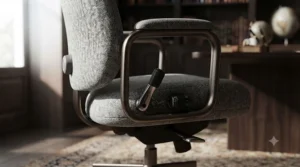
This is precisely why the HSE’s own workplace guidance specifically flags that a footrest “may be helpful, particularly for smaller users” rather than treating it as a universal fix — it’s an acknowledgement, in official display screen equipment guidance, that standard seating genuinely doesn’t serve every body by default. Understanding this shifts the buying decision from “which chair looks ergonomic” to “whose ergonomic ranges actually include my measurements” — a subtly different, and far more useful, question.
Women’s Office Chair Fit: Beyond “One-Size-Fits-Most”
It’s worth naming directly why “petite” and “women’s” chairs so often overlap in marketing, even though petite fit is really about body measurements rather than gender specifically. Average population data does show UK women trending shorter than UK men, which is part of why petite-marketed chairs are frequently positioned toward female buyers — but plenty of petite men and plenty of average-or-taller women both fall outside the assumptions “one-size-fits-most” seating is built around.
The practical takeaway is to buy against your own measurements rather than a marketing label. A chair marketed specifically as a “women’s office chair” doesn’t guarantee a petite fit any more than a unisex chair guarantees a poor one — what matters is whether its seat height, depth, and lumbar ranges intersect with your body, full stop. Several chairs in this guide, including the Cabevibe S2 Petite, are explicitly marketed toward women, and the fit logic behind them (lower seat height, shorter depth, narrower arm spacing) genuinely does track with smaller frames regardless of gender.
What’s actually useful in “for women” marketing, when it’s done honestly, is that it signals a design team specifically considered a shorter-torso, narrower-hip body type during development — which is a genuinely different starting point from a unisex chair adjusted downward after the fact. Reviewers consistently describe this distinction as noticeable in daily use, particularly around lumbar placement and armrest reach, even when they can’t always articulate exactly why one chair feels more “made for them” than another.
Common Mistakes When Buying a Petite Office Chair
The single biggest mistake is buying on seat height alone and ignoring seat depth entirely — a chair can have a perfectly low minimum height and still leave knees pressed against the seat edge if the depth doesn’t match your thigh length. Check both, always, not just the headline “low seat height” spec that marketing copy tends to foreground.
A close second is assuming a footrest fixes every fit problem. It solves the “feet don’t reach the floor” issue specifically, but does nothing for seat depth, lumbar placement, or armrest reach — and can actually introduce a new problem by changing your knee angle relative to the seat pan if used to compensate for a chair that’s fundamentally too tall.
Buyers also frequently skip checking the maximum weight rating in the rush to focus on size, assuming “petite” chairs are automatically lower-capacity — some are, some aren’t, and it’s worth confirming rather than assuming either way. And finally, many people buy the cheapest chair with “petite” in the title without checking whether the adjustment ranges are genuinely different from the standard version or just a marketing relabel — a distinction this guide has tried to make clear throughout, chair by chair.
Long-Term Cost & Maintenance
A cheaper chair isn’t automatically better value once you factor in realistic lifespan and comfort over years of daily use. A budget mesh chair in the £150 range might need replacing within two to three years of heavy daily use as gas lifts weaken and mesh stretches, while a chair like the Steelcase Series 1, backed by a genuine 12-year commercial warranty, spreads its higher upfront cost across a much longer working life — often working out cheaper per year of use despite the steeper initial price.
Maintenance itself is fairly minimal across all seven chairs here: periodically check and tighten the base bolts (they do loosen gradually with daily swivelling), wipe mesh backs with a damp cloth rather than harsh cleaners, and avoid leaving gas-lift chairs in direct sunlight for extended periods, which can accelerate wear on both mesh and plastic components. Casters are worth checking every few months too — grit and hair build-up is the most common reason a chair starts rolling unevenly, and it’s a five-minute fix rather than a reason to replace the whole base.
The genuine long-term consideration for petite buyers specifically is this: a poorly fitting chair doesn’t just wear out faster in a mechanical sense, it costs more in the form of physiotherapy, replacement cushions, and aftermarket footrests bought in an attempt to patch a fundamental sizing mismatch. Factoring those hidden costs in often tips the value calculation back toward paying more upfront for a chair whose ranges genuinely fit from day one.
Safety, Regulations & Workplace Compliance Guide
If you’re setting up a home working station in the UK, it’s worth knowing that the Health and Safety (Display Screen Equipment) Regulations 1992 place specific duties on employers to assess seating and workstation setup for anyone using a screen “habitually” as part of their job — including home workers, not just those in a traditional office. The regulations don’t mandate a specific chair brand or model, but they do require that seating allows adjustable height and adequate back support, which is precisely the territory this guide has focused on throughout.
For employees, this means it’s reasonable to ask an employer to fund or contribute toward a properly fitting chair as part of a workstation assessment, particularly if a standard-issue chair genuinely doesn’t accommodate a petite frame. The HSE’s own guidance on managing back pain at work is explicit that employers have a duty to assess and reduce risks connected to musculoskeletal strain, and an ill-fitting chair sits squarely within that remit.
For anyone experiencing ongoing discomfort despite a well-adjusted chair, it’s worth remembering that seating changes alone won’t resolve pain with an underlying medical cause — the NHS’s guidance on back pain is a sensible starting point, and persistent pain lasting more than a few weeks is generally worth raising with a GP or physiotherapist rather than assuming a different chair will solve it outright.
✨ Don’t Miss These Exclusive Deals!
🔍 Take your search for the perfect petite office chair to the next level with the carefully researched picks above. Click through on any highlighted chair to check today’s price and availability. The right fit could mean the difference between an aching afternoon and a genuinely comfortable working day! 🪑

Frequently Asked Questions
❓ What counts as a petite office chair?
❓ Do petite office chairs cost more than standard chairs?
❓ Can I just add a footrest to a standard chair instead of buying petite?
❓ What is the seat pan width I should look for as a petite user?
❓ Are women's office chairs the same as petite office chairs?
Conclusion
Finding the right petite office chair really comes down to treating your own measurements as the starting point, not an inconvenient exception to standard sizing. Whether that means the budget-friendly Songmics Ergonomic Office Chair for someone furnishing a home office on a tight budget, the narrow-seated Sihoo Doro C300 for a slimmer frame, or the purpose-engineered Herman Miller Aeron Size A for anyone ready to invest in a chair genuinely built around a smaller body, the underlying logic stays the same throughout this guide: check seat height against your leg length, seat depth against your thigh length, and lumbar range against your actual torso, not the marketing copy.
None of the seven chairs here is objectively “the best” in isolation — the best chair is the one whose adjustment ranges happen to include your body, at a price that makes sense for how many hours you’re actually sitting in it each day. Take the measurements outlined in the “How to Choose” section seriously before buying, and the rest of this guide should do the job of narrowing seven strong options down to the one that’s actually right for you.
✨ Ready to Stop Compromising on Comfort?
🔍 Revisit the picks above and check today’s price on the chair that best matches your measurements. Your back — and your afternoons at the desk — will thank you!
Recommended for You
- 7 Best Office Chairs for Short People in 2026
- Office Chair With Sliding Seat: 7 Real Picks Tested for 2026
- Office Chair With Tilt Lock: 7 Best Picks for 2026 (UK)
Disclaimer: This article contains affiliate links. As an Amazon Associate, I earn from qualifying purchases. If you purchase products through these links, we may earn a small commission at no additional cost to you.
✨ Found this helpful? Share it with your friends! 💬🤗
