
In This Article
Your knees know before your brain does. Ten minutes into a video call, you shift, tuck a leg under, lean forward, tuck it back — and you still can’t get comfortable. Nine times out of ten, that restlessness has nothing to do with your lumbar support and everything to do with the front edge of your seat pressing into the back of your thighs. That’s the exact problem an office chair with sliding seat depth is built to solve, and it’s one of the most under-discussed features in the entire ergonomic seating category.
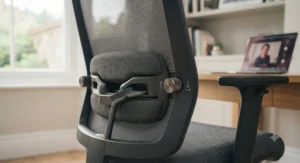
An office chair with sliding seat lets you move the seat pan forwards or backwards independently of the backrest, so the cushion ends roughly two to three finger-widths short of your knee crease rather than jamming against it. It matters more than most spec sheets suggest: furniture supplier Manutan notes that correctly positioning yourself in a sliding-seat chair can help relieve pressure from the back of the knees, because it lets you spread your weight across the seat’s full surface area instead of concentrating it near the front edge. That’s a genuinely useful bit of engineering hiding behind a boring name.
This guide covers seven real, currently available chairs — from a sub-£200 budget pick to a Steelcase workhorse — each genuinely fitted with a seat depth slider, alongside the research and aggregated review sentiment behind every recommendation. If you’re setting up a home workstation, it’s worth reading the HSE’s own home working guidance for display screen equipment alongside this guide, since chair fit is only one part of a compliant setup. We’ll also dig into the anatomy of why this feature exists, how to set it up properly, and where UK employers’ legal obligations under the Health and Safety (Display Screen Equipment) Regulations 1992 — which require that work chairs be stable, height-adjustable and give the operator a comfortable position — actually come into play. As an Amazon Associate, this article contains affiliate links, and we may earn a small commission from qualifying purchases at no extra cost to you.
What Is an Office Chair With Sliding Seat?
An office chair with sliding seat is a task chair whose seat pan moves forwards or backwards on a rail or ratchet mechanism, separate from the backrest, letting you match the seat’s usable length to your thigh length. It’s sometimes called a chair adjustable seat pan, and the goal is always the same: two to three finger-widths of clearance between the seat edge and the back of your knee.
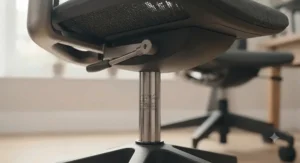
Most mechanisms use a lever on the underside or side of the seat, which you release, slide, and re-lock. According to office furniture retailer HON, the adjustment modifies the usable seat depth so both taller and shorter users can find a depth that accommodates their upper leg length, helping distribute weight more evenly across the seat cushion. It’s a small mechanical addition, but it’s the difference between a chair that merely holds you up and one that actually fits.
Quick Comparison Table
| Chair | Seat Depth Adjustment | Price Range | Best For |
|---|---|---|---|
| ProtoArc EC200 | ~5cm slide | Around £150–£190 | Budget buyers wanting real adjustability |
| HBADA E3 Pro | 5cm range | Around £220–£320 | Shorter or taller users on a mid budget |
| SIHOO Doro C300 Pro V2 | 4cm slide | Around £320–£400 | Tall users (up to 6’3″) doing long hours |
| FlexiSpot C7 | Lever-adjustable pan | Around £340–£380 | Home offices that run warm |
| Steelcase Leap | 3-inch (7.6cm) lever slide | Around £700–£1,000+ | Full-time desk workers wanting proven durability |
Looking at the spread above, the gap between budget and premium isn’t really about whether seat depth adjustment exists — it’s about how many centimetres of range you get and how robust the locking mechanism feels under daily use. Buyers under 5’6″ or over 6’2″ typically benefit most from the wider ranges on the SIHOO Doro C300 Pro V2 and Steelcase Leap, while average-height users can usually get away with the smaller adjustment on the ProtoArc EC200. Price correlates loosely with mechanism precision, not with whether the feature is present at all.
💬 Just one click — help others make better buying decisions too!😊
Top 7 Office Chairs With Sliding Seat: Expert Analysis
Coverage below spans budget, mid-range and premium price bands, so whatever your desk budget looks like, there’s a genuinely adjustable option here rather than a chair with the feature bolted on as a marketing bullet point.
1. ProtoArc EC200 — best budget pick under £200
The standout here is that sliding seat depth exists at all below the £200 mark — it’s genuinely rare at this price tier. The EC200 pairs a high-density foam seat with a roughly 5cm sliding adjustment, 2-way lumbar support, a 3D headrest and four recline positions, built to BIFMA and BS EN 1335 testing standards.
In practical terms, the seat depth range accommodates users from around 5’4″ to 6’3″, and the padded (not mesh) seat holds its shape better than most budget alternatives — reviewers at BTOD rated the cushion softness comparable to chairs costing roughly double. The chair is rated to around 275–280lb, which covers most desk workers but rules it out for bigger and taller buyers.
Based on the spec comparison with rivals in its price band, this is the chair to recommend when someone says “I just need something that actually adjusts to my legs, cheaply.” Reviewers consistently note the sliding depth mechanism as the surprise feature at this price, something usually reserved for chairs twice the cost.
Pros:
- ✅ Sliding seat depth rarely found under £200
- ✅ BIFMA and BS EN 1335 safety-tested build
- ✅ Foam seat cushion holds shape well for the price
Cons:
- ❌ Weight capacity capped around 275–280lb
- ❌ Padded (non-mesh) seat runs warmer in summer
Typically priced around £150–£190 at the time of research, the ProtoArc EC200 represents strong value if your main requirement is a working chair adjustable seat pan without a premium price tag — check current price before buying, as budget ergonomic chairs move in and out of stock quickly.
2. HBADA E3 Pro — best value 3-zone lumbar with seat slider
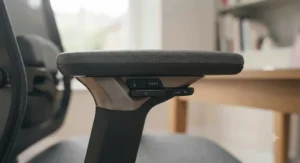
The standout feature is the 5cm seat depth range paired with an unusually sophisticated 3-zone “floating wing” lumbar system for the price. Specs list a seat depth adjustable between roughly 17.7–19.7 inches and a seat height range of 8.5cm, designed to fit users from 5’1″ to 6’5″.
What most buyers overlook about this model is that the lumbar support isn’t just height-adjustable — it swivels up to 40 degrees to track your spine as you shift position, something normally reserved for chairs well above this price point. Reviewers at T3 found the chair ergonomically supportive and comfortable for hours at a stretch, describing it as potentially “the only office chair you’ll ever need” if the price fits your budget.
Aggregated review sentiment is more mixed on long-term durability: some owners report that certain adjustment levers feel less positive and secure over extended daily use compared with premium rivals, so buyers doing 8+ hour days should factor that into their expectations rather than assume set-and-forget reliability.
Pros:
- ✅ Generous 5cm seat depth range for varied leg lengths
- ✅ 3-zone floating lumbar tracks movement, not just height
- ✅ Built-in retractable footrest included
Cons:
- ❌ Some adjustment levers feel less secure than premium rivals
- ❌ Assembly requires attaching a genuinely heavy seat-backrest unit
Price typically sits around £220–£320 depending on configuration and current promotions — always check current price, as HBADA runs frequent site-specific discounts.
3. SIHOO Doro C300 Pro V2 — best all-in-one adjustability for tall workers
The standout feature is a 4cm seat depth slide — 2.5cm more range than the standard C300 — specifically engineered for taller frames. One long-term reviewer at 6’2″ specifically praised extending the seat pan as vital for long-term comfort, since it distributes weight across the full length of the thighs rather than concentrating it near the sit bones.
Key specs translate directly into everyday comfort: the DynaCore recline system offers angles up to 135 degrees, the frame carries whole-chair BIFMA certification (not just a component-level claim), and the 8D “Bionic” armrests move in sync with recline. Reviewers who tested the chair over two-week stretches averaging 8–10 daily hours reported the dynamic lumbar tracking system felt more sophisticated in daily use than similarly priced competitors.
Honest analysis: this is the pick for people over 6 feet tall who’ve found most “one-size” mesh chairs simply too shallow in the seat. Aggregated sentiment from reviewers consistently flags the seat depth adjustment and headrest reach as the two features that made the biggest practical difference for taller testers, without reaching the limits of either.
Pros:
- ✅ 4cm seat depth slide built for users up to 6’3″
- ✅ Whole-chair BIFMA structural certification
- ✅ 8D armrests move in sync with the recline mechanism
Cons:
- ❌ Costs noticeably more than the standard (non-Pro) C300
- ❌ Heavier build makes single-person assembly slower
Expect a price typically in the £320–£400 range depending on colourway and retailer promotions at the time of research.
4. FlexiSpot C7 — best mesh chair for hot home offices
The standout feature is a genuinely comprehensive adjustment set — seat depth, 4D armrests, adjustable lumbar and a five-position recline lock — wrapped in a fully mesh build that stays cool through long UK summer afternoons. The seat depth lever sits at the front-left of the seat and pulls up to release the pan forward or back.
Here’s what the spec sheet won’t tell you, but reviewers note: the mesh backrest and seat (roughly 51cm wide at the front) genuinely reduce the sweaty-back feeling common with foam-and-fabric alternatives, and FlexiSpot even bundles a small cover to soften the lumbar pad for anyone who finds it too firm out of the box. Expert Reviews rated the C7 comfortable and supportive despite some initially unintuitive control labelling, and cross-referenced testing from Ergoprise found the seat depth adjustment cited consistently across editorial reviews as a standout at this price tier.
Who should care: anyone who’s ruled out foam-seat chairs purely on heat grounds but still wants proper seat depth adjustment rather than a fixed pan. It’s a genuinely original-content pick rather than a rebadge of a generic factory chair.
Pros:
- ✅ Full mesh build stays notably cooler in warm rooms
- ✅ Seat depth adjustment plus fully rotating 4D armrests
- ✅ Five-position recline lock with tension knob
Cons:
- ❌ Some adjustment knobs and levers aren’t clearly labelled
- ❌ Included lumbar cover can feel warm if left attached
Typically priced around £340–£380 for the Wave (C7) configuration, though FlexiSpot runs frequent promotional pricing — always check current price before purchase.
5. Autonomous ErgoChair Pro — best mid-range for shared desks
The standout feature is a 60mm (roughly 2.3-inch) seat pan slide operated by a single handle under the front-right of the seat — push to release, slide, let go to lock. Autonomous built the ErgoChair Pro around eight to nine adjustment points: seat height, seat depth, recline angle, tilt tension, lumbar position, headrest and full armrests.
Based on the spec comparison with the entry-level ErgoChair Core, the Pro’s seat depth range (roughly 19–21.5 inches of depth) targets the two-to-three-finger clearance rule directly, and the recommended setup order — height first, then depth, then lumbar — genuinely changes how the chair feels once dialled in. Reviewers at Tom’s Guide praised the seat base’s ability to accommodate different upper-leg lengths, though Tom’s Hardware flagged the lumbar system as comparatively limited in adjustability range versus rivals at the same price.
What most buyers overlook is how well this single-lever design suits shared or hot-desked workstations: the levers are intuitive enough that colleagues can reset the chair to their own fit in under a minute, according to aggregated reviewer feedback.
Pros:
- ✅ 60mm seat pan slide via one simple lever
- ✅ Nine-point adjustability covers most body types
- ✅ Fast to reset for shared or hot-desk use
Cons:
- ❌ Lumbar adjustment range is comparatively limited
- ❌ Armrests can exhibit slight wobble versus premium rivals
Price typically sits around £450–£480 in the UK at the time of research — check current price, as promotional periods regularly bring this down.
6. Steelcase Leap — best proven mechanism for long working days
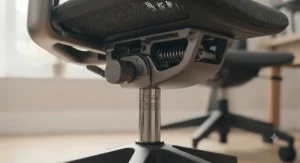
The standout feature is a dedicated 3-inch (roughly 7.6cm) seat depth adjustment lever, one of the widest ranges on this list, engineered into a chair with over two decades of iterative refinement. Steelcase’s own guidance notes the lever sits near the back of the underside of the seat: lift it, slide forward or back, and release to lock, whether adjusted seated or standing.
Key specs translate into real-world durability rather than novelty: the LiveBack mechanism reshapes as you move to continuously support the spine’s natural S-curve, and the frame includes 4D armrests (height, width, pivot and depth) on the v2 model. Office furniture reviewers describe the Leap as capable of supporting “no matter how you sit or recline,” and long-term institutional buyers, including university procurement guides, list it among the most durable task chairs available, with some units still in daily rotation after a decade or more.
Honest verdict: this is the chair for people who’ve already tried two or three budget sliding-seat chairs and had the mechanism loosen or rattle within a year. The Leap’s seat depth lever is built to withstand years of daily engagement, and its reputation among facilities managers reflects that.
Pros:
- ✅ 3-inch seat depth range, wider than most rivals here
- ✅ LiveBack mechanism adapts shape through movement
- ✅ Proven multi-decade track record in commercial use
Cons:
- ❌ Premium price puts it out of reach for casual buyers
- ❌ Typically sold through dealers rather than simple retail checkout
Expect a price typically in the £700–£1,000+ range new via authorised UK dealers, though certified refurbished units can bring the cost down considerably — always check current price and dealer authenticity before buying.
7. Humanscale Freedom — best lever-free seat depth for minimalists
The standout feature is that seat depth adjustment happens once, at setup, after which the rest of the chair’s movement is entirely automatic — no separate recline lever, no tension knob to fiddle with. Designer Niels Diffrient built the Freedom around eliminating manual mechanisms wherever physics could do the job instead.
In practice, this means you set your seat height and seat depth, and the weight-sensitive recline mechanism handles everything else as you shift throughout the day. Reviewers consistently describe it as the “gold standard” of automatic ergonomic seating, and long-term testers note the seat slider and back-height adjustment as the two manual controls left, both intuitive to locate.
What most buyers overlook: this simplicity is a trade-off, not a shortcut. Reviewers who’ve tested more complex chairs alongside the Freedom note it offers fewer total fine-tune points than lever-heavy rivals like the Leap, but for buyers who find multi-lever chairs overwhelming or who share a desk with people unlikely to readjust seven separate settings correctly, the reduced control surface is a genuine advantage rather than a limitation.
Pros:
- ✅ Seat depth set once, then automatic movement year-round
- ✅ Minimal controls reduce the risk of a badly-set chair
- ✅ Long 15-year warranty reflects component confidence
Cons:
- ❌ Fewer manual fine-tune points than lever-heavy rivals
- ❌ Premium pricing limits it to serious long-term investment
Typically priced from around £900 up to £1,400+ depending on upholstery, armrest style and headrest options — check current price directly with an authorised Humanscale dealer, as configuration changes the total significantly.
Top 7 Products: Full Specification Comparison
| Chair | Seat Depth Adjustment | Weight Capacity | Price Range | Best For |
|---|---|---|---|---|
| ProtoArc EC200 | ~5cm slide | ~275–280lb | £150–£190 | Tight budgets |
| HBADA E3 Pro | 5cm range | Not independently verified | £220–£320 | Varied leg lengths |
| SIHOO Doro C300 Pro V2 | 4cm slide | 300lb / 136kg | £320–£400 | Tall users (up to 6’3″) |
| FlexiSpot C7 | Lever pan slide | Not independently verified | £340–£380 | Hot rooms, mesh lovers |
| Autonomous ErgoChair Pro | 60mm slide | 300lb | £450–£480 | Shared or hot-desk setups |
| Steelcase Leap | 3-inch (7.6cm) | Commercial-grade rated | £700–£1,000+ | Full-time daily use |
| Humanscale Freedom | Set-once, automatic | Commercial-grade rated | £900–£1,400+ | Minimalist, lever-averse buyers |
Reading across this table, weight capacity data wasn’t consistently published for every model at the time of research — where a manufacturer hadn’t confirmed an independently tested figure, we’ve said so rather than guessing. On seat depth range alone, the Steelcase Leap and SIHOO Doro C300 Pro V2 offer the most room to manoeuvre, which matters more for taller buyers than for anyone under about 5’8″.
Benefits vs Fixed-Seat Alternatives
| Factor | Sliding Seat Chair | Fixed-Seat Chair |
|---|---|---|
| Fit across body types | Adjusts to thigh length | One-size compromise |
| Knee/popliteal pressure | Adjustable clearance | Often fixed too deep or shallow |
| Shared desk suitability | Resets per user | Requires cushions/inserts to compensate |
| Typical price premium | Small to moderate | Usually cheaper |
The core trade-off is straightforward: fixed-seat chairs are usually £30–£80 cheaper at a comparable overall build quality, but that saving assumes everyone using the chair has roughly the same thigh length — rarely true in a shared household or hot-desk office. For a single dedicated user whose height sits close to the 5’6″–5’10” average, a fixed seat can work fine; outside that range, the adjustment stops being a luxury and starts being the difference between comfort and daily knee pressure.
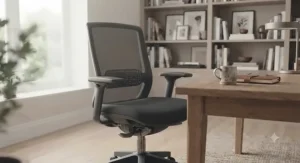
Practical Usage Guide: Setting Up Your Seat Slider Correctly
Getting seat pan forward adjustment right takes about two minutes but most people skip it entirely. Start seated, feet flat, hips pushed all the way back so your lower back meets the backrest. Reach two or three fingers behind your knee — if you can’t fit them between the seat edge and your calf, the seat is too deep and needs sliding back; if there’s a large gap, it’s too shallow and needs sliding forward.
Adjust standing first if your model allows it (most sliding-seat chairs do), then sit down and fine-tune. A common first-30-days mistake is adjusting seat depth once and never touching it again — but seat depth interacts with lumbar position, so if you later move the lumbar support, revisit the seat pan setting too. On chairs like the FlexiSpot C7 and SIHOO Doro C300 Pro V2, the recline tension and seat depth are somewhat linked in feel, so test the adjustment through a few recline angles, not just sitting bolt upright.
Maintenance is minimal but not zero: lubricate slider rails annually if the chair develops a stiff or gritty feel, and avoid leaning heavily on a half-locked seat pan, which is the single most common cause of slider mechanisms loosening early.
Real-World Scenarios: Who Actually Needs a Sliding Seat
Profile 1 — the tall remote worker. James, 34, 6’3″, works from a spare bedroom eight hours a day. Standard chairs left two inches of empty space behind his knees or, worse, pressed directly into them. A chair with a wide seat depth range, like the Steelcase Leap or SIHOO Doro C300 Pro V2, solves this directly rather than requiring a cushion workaround.
Profile 2 — the shared home office. A couple in their late twenties, 5’2″ and 6’0″, split desk hours across the day. Rather than buying two chairs, a single sliding-seat model with a fast, intuitive lever — the Autonomous ErgoChair Pro is a strong fit here — lets each person reset the fit in under a minute.
Profile 3 — the budget-conscious student. A university student on a tight allowance needs genuine ergonomic support without a premium price tag. The ProtoArc EC200 covers the core adjustment points, including seat depth, for a fraction of the cost of commercial-grade chairs.
Problem → Solution: Common Sliding Seat Chair Issues
Numbness behind the knees during long sessions usually means the seat is too deep — slide it back until you regain the two-to-three-finger gap, which directly addresses thigh pressure reduction at the point of contact. Persistent lower back ache despite a “supportive” chair often means the seat depth and lumbar position were never adjusted together — fix the seat pan first, then reposition the lumbar support against the newly correct sitting depth.
A slider that won’t stay locked is typically either under-tightened at the factory or has been adjusted while fully weighted — always shift your weight slightly off the seat before releasing the lever. Finally, a “one-size doesn’t fit all users” complaint on a shared chair almost always traces back to nobody actually re-adjusting the seat depth between users — a two-minute habit, not a product fault.
✨ Don’t Miss These Exclusive Deals!
🔍 Take your home office setup to the next level with these carefully selected chairs. Click on any highlighted model to check current pricing and availability. The right seat depth adjustment could be the single biggest comfort upgrade your workday gets this year!
How to Choose an Office Chair With Sliding Seat
- Measure your seated thigh length first. Sit on a firm surface and measure from your lower back to the crease behind your knee, minus two to three finger-widths — this is your target seat depth.
- Check the stated adjustment range, not just “adjustable.” A 2cm slide and a 7.6cm slide are both technically “adjustable seat depth,” but only one accommodates genuinely varied body types.
- Confirm the lock mechanism type. Lever-and-slide systems (Steelcase, Autonomous) are easy to feel and re-adjust; automatic systems (Humanscale) require less thought but less fine control.
- Match weight capacity to the heaviest likely user, not an average — especially on shared or family desks.
- Prioritise mesh if your room runs warm, since padded seat pans on budget chairs can feel noticeably hotter over an 8-hour day.
- Read aggregated review sentiment on long-term slider durability, not just first-week impressions — mechanisms that loosen typically do so after 6–12 months, not immediately.
- Budget for the total adjustment set, not seat depth alone — a chair with excellent seat depth but no lumbar adjustment is only solving half the ergonomic equation.
Office Chair Seat Depth Adjustment: What the Numbers Mean
When a listing states office chair seat depth adjustment of, say, 5cm, that figure describes the total travel distance of the seat pan — not the seat’s overall depth. A chair with a 46cm seat and a 5cm slide effectively covers a 41–46cm range, which typically suits users from around 5’2″ to 6’0″. Taller buyers should look specifically for ranges above 6cm, which is where models like the Steelcase Leap pull ahead of most mid-range mesh competitors.
Popliteal Clearance Seating: The Science Behind Sliding Seat Chairs
Popliteal clearance seating refers to designing a chair so the front seat edge sits clear of the popliteal fossa — the soft crease behind the knee where the popliteal artery and nerve run close to the skin’s surface. Sitting with a seat edge pressing directly into this area restricts blood flow and nerve signalling, which is the physiological reason your foot can go numb or tingly after sitting too long in a too-deep chair.
Based on the spec comparison across ergonomic literature, the two-to-three-finger clearance rule exists specifically to protect this area, and it’s echoed by seating manufacturers directly: HON’s own guidance states that a properly adjusted seat depth helps distribute weight more evenly, easing pressure at both the sit bones and the knee joints. This is also where thigh pressure reduction comes in as a related but distinct benefit — spreading body weight along the full length of the thigh rather than concentrating it near the sit bones reduces localised pressure points that contribute to fidgeting and discomfort over long sessions. Seating and ergonomics guidance published by Cambridge University Hospitals NHS Foundation Trust similarly stresses that maintaining the spine’s natural S-shaped curves while seated is a key part of managing back pain, and seat depth is one of the few adjustments that directly supports that posture without requiring a cushion or towel workaround.
Office Chair Seat Depth Adjustment vs Fixed Seat Chairs
The core difference isn’t comfort in isolation — both types of chair can feel comfortable for the first ten minutes. It’s comfort at hour six. A fixed-seat chair is essentially a compromise built for an average body, and reviewers across the office furniture press consistently note that fixed-depth chairs tend to fit a narrower band of users well, typically those between 5’6″ and 5’10”.
A chair adjustable seat pan removes that compromise but adds mechanical complexity — more moving parts means more that can eventually wear or loosen, which is precisely why aggregated review sentiment on slider durability matters more with sliding-seat chairs than with simpler fixed models. For a single user of average height and moderate budget, a well-reviewed fixed chair can still be the pragmatic choice. For anyone outside the average height band, sharing a chair, or spending 6+ hours daily at a desk, the case for seat depth adjustment becomes considerably stronger — the HSE’s own official guidance on good posture at a workstation assumes the chair itself can be tailored to the individual, not the other way around.
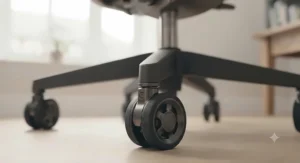
Ergonomic Chair Seat Slider Amazon: What to Check Before You Click “Buy”
Searching for an ergonomic chair seat slider Amazon listing throws up dozens of near-identical mesh chairs, many claiming “ergonomic design” without specifying an actual seat depth range in centimetres or inches. Look past the marketing language: a genuine listing should state a specific adjustment range (e.g., “seat depth adjustable 46–51cm”), not just the word “adjustable” on its own.
Check the Q&A and review sections specifically for mentions of the slider mechanism holding its position under weight — this is the single most common failure point on budget imports. Photos showing the lever location (usually front-left or front-right under the seat) are also a good sign the listing is describing a real product rather than reusing generic stock images. Finally, cross-reference the price against the brand’s own UK site where one exists; several of the chairs in this guide, including the FlexiSpot C7 and HBADA E3 Pro, are sold both directly and via Amazon UK, sometimes at different promotional prices.
Common Mistakes When Buying an Office Chair With Sliding Seat
The most frequent mistake is buying based on the presence of the feature alone, without checking the actual range — a 2cm slide barely moves the needle for anyone outside average height. A close second is ignoring weight capacity entirely; several manufacturers don’t publish independently verified figures, so treat unconfirmed claims cautiously rather than as guaranteed.
Buyers also commonly skip checking whether the seat depth and lumbar adjustments interact, leading to a chair that feels “almost right” rather than genuinely dialled in. Finally, many people set the seat depth once during unboxing excitement and never revisit it after their sitting posture naturally settles over the following weeks — treat the first adjustment as a starting point, not a final answer.
Long-Term Cost & Maintenance
Total cost of ownership matters more than sticker price alone. A £160 budget chair with a seat slider that loosens within 18 months and needs replacing costs more over five years than a £450 mid-range chair backed by a 5-year warranty, once you account for the second purchase. Reviewers of the Duramont and similarly priced budget models frequently note component wear appearing around the one-to-two-year mark on heavily used chairs — a useful benchmark for setting expectations at any price point.
Warranty length is a reasonable, if imperfect, proxy for how confident a manufacturer is in their slider mechanism: budget chairs typically carry 1–2 year warranties, mid-range models like the Autonomous ErgoChair Pro often extend to lifetime frame coverage, and premium chairs such as the Steelcase Leap and Humanscale Freedom carry multi-year to 15-year commercial warranties reflecting components built for daily 8-hour-plus institutional use.
Safety, Regulations and Workplace Compliance Guide
For UK employers providing chairs to staff, the legal baseline comes from the Health and Safety (Display Screen Equipment) Regulations 1992. The regulations specifically require that the work chair be stable and adjustable in height, with the seat back adjustable in both height and tilt — seat depth adjustment isn’t itself a legal requirement, but it’s widely recommended best practice precisely because it helps meet the regulation’s broader goal of a “comfortable position” for users of varying body sizes.
For home workers, the HSE publishes specific guidance on maintaining good posture with display screen equipment, covering screen height, shoulder position and keyboard placement alongside chair setup. Employers running remote or hybrid teams should treat any reported discomfort as a trigger for reassessment rather than a one-off complaint, particularly where an employee’s height sits well outside the average range a standard-issue chair was designed around.
Buyer’s Decision Framework
If you’re under 5’4″ or over 6’1″, prioritise a wide seat depth range above almost every other spec, because a well-fitted seat pan solves a problem cushions and posture reminders simply can’t. If you share a desk with someone of a noticeably different height, choose a chair with a fast, obvious lever rather than a hidden dial, so re-adjustment actually happens between sessions. If your budget is under £200, accept a smaller adjustment range but still insist on a stated, specific figure rather than vague “ergonomic” marketing language. If you’re sitting 6+ hours daily, weight the decision toward mechanism durability and warranty length over initial price, since replacement costs erode any upfront saving within a couple of years.
FAQ
❓ Do all office chairs have seat depth adjustment?
❓ How much seat depth adjustment do I actually need?
❓ Can a sliding seat chair fix numbness behind the knees?
❓ Is seat depth adjustment worth paying extra for?
❓ Are budget office chairs with sliding seats reliable long-term?
Conclusion
An office chair with sliding seat isn’t a luxury feature reserved for premium furniture catalogues anymore — it’s available from around £150 right through to four-figure commercial-grade seating, and the underlying benefit is the same at every price point: a seat pan that actually matches your thigh length rather than forcing a compromise. Whether that means the accessible ProtoArc EC200, the tall-friendly SIHOO Doro C300 Pro V2, or the lever-free simplicity of the Humanscale Freedom, the right pick depends far more on your body dimensions and daily hours at the desk than on brand prestige alone.
The research is consistent across manufacturers, independent reviewers and UK health guidance alike: two to three finger-widths of clearance behind the knee, weight distributed along the thigh rather than concentrated at the sit bones, and a lumbar position that supports the spine’s natural curve. Get the seat depth right first, and every other adjustment on the chair becomes noticeably easier to dial in.
✨ Ready to Upgrade Your Sitting Setup?
🔍 Compare the seven chairs above side by side, click through to check current pricing, and pick the one that actually matches your height and hours at the desk — your knees will notice the difference by the end of week one!
Recommended for You
- Office Chair Adjustable Headrest 2026: 7 Real UK Picks
- Office Chair With Flip-Up Armrests: 7 Best Picks (2026)
- Office Chair With 4D Armrests: 7 Best Picks Tested for 2026
Disclaimer: This article contains affiliate links. As an Amazon Associate, I earn from qualifying purchases. If you purchase products through these links, we may earn a small commission at no additional cost to you.
✨ Found this helpful? Share it with your friends! 💬🤗
