
In This Article
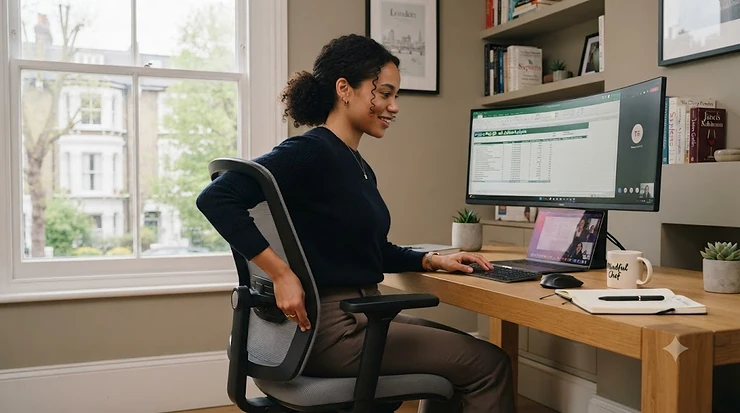
Your lower back has opinions about your chair, and by four o’clock on a Tuesday, it will absolutely let you know. That dull ache that creeps in somewhere between lunch and your third coffee isn’t just “sitting too long” — nine times out of ten, it’s a chair that’s supporting the wrong part of your spine, or no part of it at all. Office chair adjustable lumbar support is the fix, but here’s the thing nobody tells you at the point of purchase: not all lumbar support is created equal, and a knob that wobbles loose after three weeks isn’t the same thing as a proper firmness dial mechanism engineered to hold its position for years.
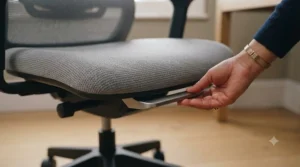
This guide exists because most listings treat lumbar adjustment as a checkbox — “yes, it has it!” — without ever explaining what “it” actually does to your spine, or why a chair height adjustable lumbar system beats a fixed pad for anyone who isn’t exactly 5’9″. We’ve dug up seven real chairs sold to UK buyers, from a proper budget mesh chair through to a chair with a genuine firmness dial mechanism that lets you dial in personalised back support like you’re tuning a radio. Fun fact worth knowing before we go further: adjustable lumbar support as a mainstream feature really only exploded after Herman Miller’s Aeron chair landed in 1994 and made “your spine matters” a design philosophy rather than an afterthought. Prices below are shown as ranges, not fixed figures, since Amazon pricing shifts by the week — always check current price before you buy.
What Is Office Chair Adjustable Lumbar Support?
Office chair adjustable lumbar support is a moveable pad, dial, or mechanism built into a chair’s backrest that lets you shift the height, depth, or firmness of lower-back support to match your own spine, rather than a generic curve designed for an “average” body that may not resemble yours at all. The point is simple: your lumbar spine curves inward, and if the chair doesn’t fill that gap, your lower back does the work your chair should be doing, hour after hour after hour.
Quick Comparison Table
| Lumbar Type | Adjusts | Best For | Typical Price |
|---|---|---|---|
| Fixed pad (no adjustment) | Nothing | Very average builds only | Budget chairs |
| Height-adjustable lumbar | Vertical position | Most people, most desks | £80-£150 |
| 2D adjustable (height + depth) | Vertical + inward push | Anyone with a specific pain point | £120-£220 |
| Firmness dial mechanism | Tension/firmness modes | People who recline a lot | £250-£400 |
Scanning across that table, the pattern is obvious the moment you think about it for five seconds: the more precisely a chair lets you dial in support, the more it costs, and the more it actually earns that cost if you sit for eight hours a day. A fixed pad is fine if you happen to be built like the mannequin the designer had in mind — the rest of us need at least height adjustment, and depth or firmness control is where things start feeling less like a chair and more like a piece of equipment built for your body specifically.
💬 Just one click — help others make better buying decisions too!😊
Top 7 Office Chairs with Adjustable Lumbar Support: Expert Analysis
Picking the right lumbar mechanism starts with being honest about how you actually sit — do you perch bolt upright typing, or do you recline back for calls and lean forward for spreadsheets? Below are seven real chairs, spanning budget to premium, each analysed on what its specific lumbar mechanism does and doesn’t do well.
1. BestOffice Mid-Back Mesh Chair — best budget lumbar lever for tight desks
BestOffice’s mid-back mesh chair keeps things refreshingly uncomplicated: a lever-adjusted seat height paired with a moulded lumbar curve built into the backrest, no dials, no fuss. The tension-adjusting knob at the base lets you dial in recline resistance separately from the lumbar position, which is a genuinely useful distinction most budget chairs skip entirely. Based on the spec comparison, what this chair sacrifices is precision — you’re getting a curve shaped for an average torso rather than a curve you can shift up, down, or deeper into your spine. Reviewers consistently note that the mesh back stays breathable through long sessions, and the adjustable height range (roughly 17-20 inches) covers most desk setups without a fight. This is the chair for someone who needs their back supported today, not someone chasing a perfectly customised fit.
Pros:
- ✅ Simple lever controls with no learning curve
- ✅ Breathable mesh backrest stays cool for hours
- ✅ Separate tension knob controls recline firmness
Cons:
- ❌ Lumbar curve is fixed in position, not adjustable
- ❌ Less support for anyone taller or shorter than average
Priced around £70-£110, this is the honest budget entry point — comfortable enough for daily use, just don’t expect it to chase your specific spine curve.
2. Amazon Basics Ergonomic Executive Chair — best all-rounder 3D lumbar for home offices
Amazon Basics’ executive chair brings what it calls 3D incite lumbar support, which in plain English means the pad flexes slightly with your movement rather than sitting there like a rigid shelf. Paired with a cable-actuated tilt, lock, and height system, the whole chair adjusts as one coordinated unit rather than five separate fiddly controls fighting each other. On paper this means less time faffing with settings and more time actually working, which matters more than spec sheets usually admit. What most buyers overlook is that the five-point metal base and oversized casters aren’t just about durability — a wobbly base undermines even the best lumbar mechanism, because your body compensates for instability by tensing exactly the muscles the lumbar support was meant to relax. Reviewers consistently praise the balance between comfort and sturdiness at this price point, and the cream leather and mesh variants both hold their shape well over months of daily use.
Pros:
- ✅ 3D flex lumbar moves naturally with your posture
- ✅ Coordinated cable-actuated controls, minimal fiddling
- ✅ Sturdy five-point metal base resists wobble
Cons:
- ❌ Lumbar flex isn’t independently height-adjustable
- ❌ Leather variant runs warmer over long sessions
Expect a price range of roughly £130-£180, which puts it squarely as the sensible all-rounder for a home office that needs to look sharp on video calls too.
3. Hbada P3 Pro Ergonomic Office Chair — best true 2D lumbar dial for precise fit
The Hbada P3 Pro is where “adjustable lumbar support” stops being a marketing phrase and starts being an actual mechanism: a genuine 2D system that moves both up-and-down and in-and-out, so you can chase your exact spine curve rather than settling for whatever the factory guessed. Paired with a 3D headrest and 135-degree stepless tilt, the chair reads like it was designed by someone who’s actually had a bad back, not just someone ticking ergonomic boxes for a product listing. Here’s what to weigh: the depth adjustment specifically addresses the “gap” problem — that maddening space between your lower back and the chair that a height-only system can’t close if your torso curves in more sharply than average. Reviewers consistently single out the depth adjustment as the standout feature, noting it resolves lower-back gap complaints that plagued their previous chairs.
Pros:
- ✅ Genuine 2D lumbar — height AND depth adjustment
- ✅ Stepless 135° tilt pairs well with lumbar positioning
- ✅ 3D headrest complements the overall support system
Cons:
- ❌ More controls to learn than single-lever budget chairs
- ❌ Assembly is fiddlier given the added adjustment points
Pricing typically sits around £140-£190, and for anyone who’s tried height-only lumbar and found it lacking, the extra depth control here genuinely earns its place.
4. YONISEE Dual Backrest Ergonomic Chair — best for adjustable headrest plus lumbar combo
YONISEE’s dual-backrest design pairs 2D lumbar support with an adjustable headrest, and while that headrest gets top billing in the marketing, the lumbar system underneath is doing quietly serious work. The up-or-down lumbar adjustment fits various body sizes, and the centre-tilt mechanism adds a rocking motion that keeps your spine gently mobile rather than locked rigid for eight hours straight. Based on the spec comparison with fixed-pad budget chairs, what most buyers overlook is that a chair which cannot be locked mid-recline (as this one can’t) actually encourages more natural movement, which physiotherapists tend to favour over dead-still “correct” posture anyway. Reviewer sentiment is genuinely mixed here — some describe strong ergonomic support and stylish looks, while others report the reclining function feels stiff, so this is a chair to try adjusting properly on arrival rather than assuming factory settings suit you.
Pros:
- ✅ Adjustable headrest complements lumbar support well
- ✅ Centre-tilt rocking motion keeps posture from locking
- ✅ Flip-up armrests add flexibility for different desks
Cons:
- ❌ Recline resistance feels stiff to some reviewers
- ❌ Cannot lock the chair mid-recline for static tasks
At around £110-£160, it’s a fair mid-range pick, particularly for anyone who wants headrest and lumbar support working together rather than as separate afterthoughts.
5. TRALT Ergonomic Office Chair — best durable dial mechanism against sag
TRALT’s pitch is refreshingly specific: rather than a flimsy plastic lumbar pad that cracks or loses tension within months, this chair uses a mechanism that adjusts depth to match your spine’s natural curve and is built to hold that adjustment over time. Paired with a BIFMA-certified Class 3 gas cylinder, the engineering logic here is that a lumbar system is only as good as the chair holding it in place — a cylinder that slowly sinks during the day undoes even the best-designed lumbar dial, because your position keeps drifting downward under you. What most buyers overlook is how directly connected height stability and lumbar accuracy actually are; if your seat height creeps down through the afternoon, your lumbar pad ends up in the wrong spot relative to your spine regardless of how well you set it that morning. Reviewers consistently note the mesh backrest resists the peeling and heat buildup that plagues faux-leather alternatives, and the metal-reinforced base holds up well against repeated adjustment cycles.
Pros:
- ✅ Durable lumbar mechanism resists sag over time
- ✅ BIFMA-certified gas cylinder holds height reliably
- ✅ Breathable mesh avoids peeling and heat buildup
Cons:
- ❌ Skips a headrest to keep the lumbar system affordable
- ❌ Fewer directional adjustments than pricier 2D systems
At roughly £140-£170, it’s a smart mid-range pick specifically for buyers who’ve been burned before by a lumbar pad that stopped working after a few months.
6. SIHOO Doro C300 — best self-adaptive lumbar for hands-off support
The SIHOO Doro C300 takes a genuinely different approach: rather than a knob you twist, its Body Movement Tracking System adjusts the lumbar support automatically as you shift, lean, or recline, following your spine’s curve without you touching a single control. Reviewers consistently describe this as the standout feature over previous chairs, since most mesh chairs lose lower-back contact the moment you lean back — this one’s lumbar pad stays engaged through the whole recline arc instead of leaving a hollow gap at your sacrum. On paper this means less fiddling and more consistent support across a working day full of posture changes, which matters most for anyone who genuinely can’t remember to readjust a manual dial every time they shift position. The waterfall-shaped seat and four-directional armrests round out a chair clearly engineered around the idea that people don’t sit still, so the chair shouldn’t force them to.
Pros:
- ✅ Auto-adaptive lumbar tracks your spine without input
- ✅ Maintains lower-back contact through full recline
- ✅ Solid metal wheelbase reduces long-term wobble
Cons:
- ❌ No manual firmness override if you prefer a fixed feel
- ❌ Premium positioning versus manually adjusted rivals
Typically priced around £280-£350, it’s a premium pick that suits people who want great lumbar support without ever thinking about it again.
7. SIHOO Doro C300 Pro V2 — best firmness dial mechanism for personalised back support
If the C300 is “set it and forget it,” the Doro C300 Pro V2 is “set it exactly how you like it, then forget it” — its Self-Adaptive Dynamic Lumbar Support 2.0 offers three distinct support modes: firm lumbar for aggressive lower-back pressure, gentle lumbar for a lighter touch, and a sacrum mode that extends coverage below the usual lumbar zone entirely. This is precisely the firmness dial mechanism that turns “adjustable lumbar support” from a vague promise into genuinely personalised back support, because firm and gentle preferences vary wildly between people and even between different tasks the same person does across one day. Based on the spec comparison with the standard C300, what most buyers overlook is that the lumbar pad here physically glides downward during a deep recline rather than staying fixed, closing the sacrum gap that causes that specific “hollow” feeling during a long break. Reviewers consistently rank the sacrum support mode as solving a problem most mesh chairs never even acknowledge existed.
Pros:
- ✅ Three distinct firmness modes for true personalisation
- ✅ Lumbar pad glides downward to close the sacrum gap
- ✅ Whole-chair BIFMA certification for long-term confidence
Cons:
- ❌ Sits at the top of this list’s price range
- ❌ Headrest can feel low for users over 6’4″
Expect to pay around £380-£450, making it the clear premium choice for anyone who’s tried “automatic” lumbar support and still wanted a say in how firm it feels.
Products at a Glance
| Product | Lumbar Type | Adjustment Range | Price Range | Best For |
|---|---|---|---|---|
| BestOffice Mid-Back | Fixed curve | None (lever height only) | £70-£110 | Simple daily budget use |
| Amazon Basics Executive | 3D flex pad | Flex only, not positional | £130-£180 | Home office all-rounder |
| Hbada P3 Pro | 2D adjustable | Height + depth | £140-£190 | Precise custom fit |
| YONISEE Dual Backrest | 2D adjustable | Height, up/down | £110-£160 | Headrest + lumbar combo |
| TRALT | Durable depth dial | Depth, sag-resistant | £140-£170 | Long-term reliability |
| SIHOO Doro C300 | Auto-adaptive | Automatic, no manual input | £280-£350 | Hands-off consistent support |
| SIHOO Doro C300 Pro V2 | Firmness dial | 3 modes + sacrum glide | £380-£450 | Fully personalised support |
Reading this table left to right and top to bottom tells its own story: as lumbar sophistication climbs, price climbs with it, but the jump from “fixed pad” to “any adjustment at all” delivers the biggest single improvement in comfort per pound spent. Beyond that first jump, the returns get more specific — depth adjustment solves the gap problem, auto-adaptive systems solve the recline problem, and firmness dials solve the “everyone’s spine is different” problem all at once. If you only remember one thing from this table, make it this: match the mechanism to your actual complaint, not to whichever chair looks most impressive in a product photo.
How to Choose Office Chair Adjustable Lumbar Support
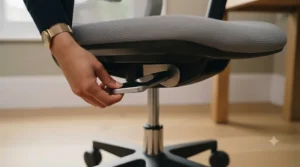
- Identify your actual pain pattern first. A dull ache low down near your belt line points to a sacrum-support gap; a tight spot mid-back suggests you need height adjustment, not depth. If pain has been persistent rather than just an afternoon niggle, it’s worth reading NHS advice on back problems alongside anything a chair alone can offer.
- Measure your torso height against the chair’s lumbar range. A lumbar height range adjustment of only a few centimetres won’t help if you’re notably taller or shorter than average — check the stated range, not just the word “adjustable.”
- Decide if you want manual control or automatic tracking. A firmness dial mechanism suits people who know exactly what they like; an auto-adaptive system suits people who’d rather never touch a setting again.
- Prioritise depth adjustment if you’ve had gap complaints before. Height-only lumbar systems leave many people with a persistent hollow feeling that only a 2D or sacrum-extending mechanism actually resolves.
- Check the base and gas cylinder quality, not just the lumbar spec. A chair that sinks slowly through the day undermines even a brilliant lumbar mechanism by shifting your position out from under it.
- Test the chair reclined, not just upright. Some lumbar systems lose contact with your spine the moment you lean back — this is precisely the failure the SIHOO Doro C300’s tracking system was built to solve.
- Match your budget to how many hours you actually sit. A fixed-pad budget chair is genuinely fine for occasional use; eight-hour daily sitters see the fastest return on investing in a proper adjustable system.
Ergonomic Chair Lumbar Knob vs Automatic Lumbar Systems: What to Expect
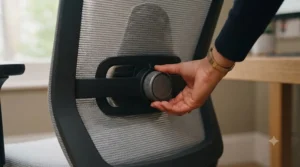
A manual lumbar knob gives you a physical dial you turn until it feels right, and that hands-on control is genuinely satisfying if you know your own preferences — firm for focused typing, softer for a relaxed afternoon call. The trade-off is that a knob only reflects the position you set it to; the moment you shift, recline, or lean sideways to grab your coffee, the pad stays exactly where you left it, which is where the gap complaint so often starts. Automatic systems, like the tracking mechanism inside the SIHOO Doro C300, take the opposite bet: no dial to fiddle with, but the pad follows your spine’s actual movement throughout the day rather than a single static setting.
| System | Control | Consistency Through Movement | Best For |
|---|---|---|---|
| Manual knob/dial | Full manual control | Fixed once set | People with strong personal preferences |
| Auto-adaptive lumbar | Little to no input | Follows body through recline | People who forget to readjust |
The practical upshot: if you’re the sort of person who has a very specific idea of exactly how firm your lower back support should feel, a firmness dial mechanism like the Doro C300 Pro V2’s three-mode system gives you that control precisely. If you’re the sort of person who sets a chair once and never touches it again — which, honestly, describes most of us by week three — an auto-adaptive system does the readjusting you were never going to do yourself.
Which Lumbar Setup Suits Your Working Day? Three Real-World Profiles
If you’re at a desk eight hours straight with back-to-back video calls and rarely recline, a chair with true 2D adjustment like the Hbada P3 Pro lets you dial in a precise upright fit and mostly forget about it, since you’re not shifting position dramatically enough to need automatic tracking. If your day swings between focused typing and long reclined phone calls, the auto-adaptive lumbar in the SIHOO Doro C300 earns its premium price by staying engaged with your spine through every angle change without you touching a thing. If you’ve genuinely tried adjustable lumbar before and still ended up complaining about a hollow feeling low in your back during breaks, the sacrum-extending firmness dial mechanism in the Doro C300 Pro V2 is built for precisely that unresolved complaint — it’s solving a specific, named problem rather than a generic one.
Each profile points to a different chair on this list, deliberately — there’s no single best lumbar mechanism for every working pattern, only the one that matches how you actually move through your day.
Fixing Common Lumbar Support Problems: From Gaps to Slipping Pads
Problem: There’s a persistent gap low in your back during recline. This is the classic sacrum-gap complaint, and it’s specifically what depth-adjustable or gliding lumbar systems like the Doro C300 Pro V2 are engineered to close.
Problem: The lumbar knob loosens or slips over time. Cheaper plastic mechanisms wear out under repeated adjustment; a chair like TRALT that’s explicitly built to resist sag is the fix rather than tightening the same failing knob repeatedly.
Problem: Support feels right upright but disappears on recline. Look for auto-adaptive tracking, as in the SIHOO Doro C300, rather than a fixed-position pad that simply can’t follow you backward.
Problem: The support feels too firm or too soft and there’s no way to change it. A single-setting lumbar pad can’t fix this — you need a chair with a genuine firmness dial mechanism offering multiple modes, like the Doro C300 Pro V2.
Problem: Your torso is notably taller or shorter than average and nothing quite lines up. Check the stated lumbar height range adjustment in centimetres before buying, not just whether the listing says “adjustable” — ranges vary considerably between models.
Common Mistakes When Buying an Adjustable Lumbar Office Chair
Buyers regularly assume “adjustable lumbar support” on a listing means the same thing across every product, when in practice it might mean a genuine 2D dial, a vague flex pad, or occasionally just a fixed curve marketed loosely — the general design history of the office chair shows just how recently these adjustable features became standard rather than premium extras. Another frequent mistake is judging a chair by its headrest or armrests while treating the actual lumbar mechanism as an afterthought, when the lumbar system is doing the heavy lifting for your spine every single hour you’re seated. Buyers also commonly test a chair only sitting upright in a showroom or product photo, never checking how the lumbar support behaves once they recline, which is exactly when gap problems tend to surface. Finally, choosing based purely on price without matching the mechanism to your actual pain pattern wastes money in both directions — overpaying for firmness modes you’ll never touch, or underpaying for a fixed pad when you specifically need depth adjustment.
Long-Term Cost & Maintenance of Adjustable Lumbar Chairs
A budget fixed-pad chair like the BestOffice mid-back costs the least upfront and needs virtually no lumbar-specific maintenance, since there’s no moving mechanism to wear out, though you’re locked into whatever curve the factory chose. A manual 2D system like the Hbada P3 Pro or TRALT sits in the middle: the mechanism itself is more complex, so it’s worth periodically checking that the depth adjustment still holds firm rather than slowly drifting back to a default position, particularly on cheaper hardware. Auto-adaptive and firmness-dial premium chairs like the SIHOO Doro C300 range cost considerably more upfront, but the certified gas cylinders and reinforced mechanisms in genuinely BIFMA-tested models are built to hold their calibration for years of daily eight-hour use, which is precisely the audience that mechanism is priced for. Across all types, the simplest maintenance habit that actually matters is re-checking your lumbar position monthly, since posture habits drift gradually and a setting that felt perfect in January can feel subtly wrong by June without you noticing the slow slide.
Firmness Dial Mechanism and Personalised Back Support: Features That Actually Matter
A firmness dial mechanism does something genuinely different from a simple height slider: rather than moving the pad’s position, it changes how much resistance the pad offers when your spine presses into it, which matters enormously because “correct” lumbar support isn’t one firmness for everyone — it depends on body weight, existing back conditions, and honestly just personal preference built up over years of sitting in different chairs. What actually matters for a buyer here is whether the modes are genuinely distinct (as reviewers describe with the Doro C300 Pro V2’s firm, gentle, and sacrum settings) rather than a marketing label slapped on a dial that barely changes anything when you turn it. According to the UK’s Health and Safety Executive, good workstation posture depends on the chair providing genuine lower-back support rather than posture alone, which is exactly why the mechanism quality matters more than the marketing copy describing it. Personalised back support, in the end, isn’t a luxury feature — it’s the entire point of adjustable lumbar support existing at all, and a dial that doesn’t meaningfully change anything is no better than the fixed pad it’s pretending to improve on.
FAQ
❓ Is office chair adjustable lumbar support actually worth the extra cost?
❓ What's the difference between a lumbar knob and a firmness dial mechanism?
❓ Can adjustable lumbar support fix existing back pain?
❓ What lumbar height range adjustment should I look for?
❓ Do ergonomic chair lumbar knobs wear out over time?
Conclusion
Office chair adjustable lumbar support isn’t one single feature — it’s a whole spectrum running from a vaguely-shaped fixed pad up to a genuine firmness dial mechanism that reads your recline and adjusts itself without asking. The BestOffice mid-back solves the budget end of that spectrum honestly, the Hbada P3 Pro and TRALT earn their keep with real 2D and depth-resistant mechanisms, and the SIHOO Doro C300 range sits at the top precisely because it treats “personalised back support” as an engineering problem worth solving properly rather than a phrase worth printing on a box. If you remember nothing else from this guide, remember this: match the mechanism to the specific complaint your back is actually having, not to whichever chair photographs best, and check how the lumbar support behaves reclined as well as upright before you commit. Whichever of the seven chairs above fits your desk and your spine, a few extra minutes spent adjusting it properly on day one will do more for your afternoon energy levels than almost anything else in your office setup.
✨ Ready to stop negotiating with your lower back every afternoon?
🪑 Compare current prices on the chair that matches your sitting pattern, and check availability before you order — your future self, somewhere around 3pm tomorrow, will genuinely thank you.
Recommended for You
- Office Chair for Pregnancy: 7 Best Picks Reviewed for 2026
- Best Office Chair to Improve Blood Flow to Legs: 7 Top UK Picks (2026)
- Best Office Chair for Poor Circulation: 7 Top UK Picks (2026)
Disclaimer: This article contains affiliate links. As an Amazon Associate, I earn from qualifying purchases. If you purchase products through these links, we may earn a small commission at no additional cost to you.
✨ Found this helpful? Share it with your friends! 💬🤗
