
In This Article
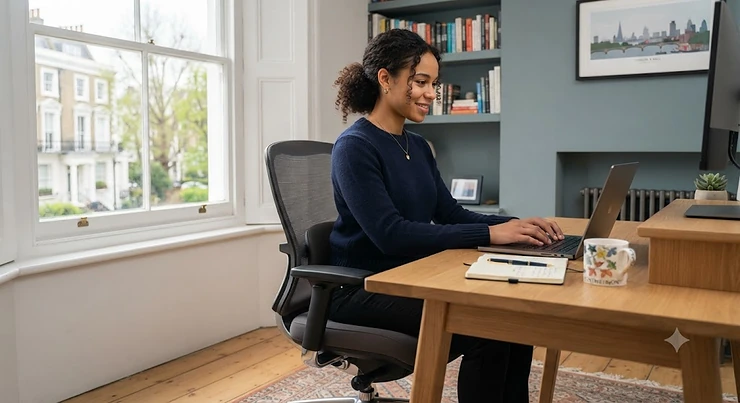
Your lower back does not care how nice your desk looks. It cares about one thing: whether the chair underneath you is actually holding its natural curve in place for eight hours a day. An office chair with lumbar support is, put simply, a desk chair built with a shaped pad or adjustable panel in the backrest that pushes gently into the small of your back, filling the gap that forms when you sit and keeping your spine closer to the “S” shape it holds when you stand. That sounds like a small detail. It isn’t. Sit in a flat-backed chair for a full working day and your lumbar spine slowly flattens or rounds, your core switches off, and by mid-afternoon you’re the person shifting in your seat every four minutes, hunting for a position that doesn’t ache.
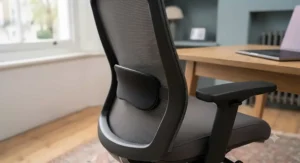
This guide exists because most “best office chair” round-ups skim past the one feature that actually matters for back health and spend their word count on RGB lighting and cupholders instead. We’ve gone the other way. Every chair below has been chosen and researched specifically for how its lumbar system behaves — how it adjusts, what real owners and independent testers report after weeks of use, and where it sits on value once you factor in build quality and warranty. Whether you’re nursing an old back injury, working a genuine eight-hour shift from a spare room, or simply tired of that 3pm slouch, there’s a fit here across the budget, mid-range and premium tiers of the amazon.co.uk marketplace. We’ll also walk through the health and safety guidance the UK’s Health and Safety Executive gives to employers on display screen equipment> — because a supportive chair isn’t just comfort, it’s a documented workplace health requirement for anyone doing screen-based work.
Let’s get into which chairs are actually worth your money, and why.
Quick Comparison Table
| Chair | Lumbar System | Price Guide | Best For |
|---|---|---|---|
| SIHOO M57 | Dual-adjustable (height + depth) | £180-£230 range | Most home workers on a mid budget |
| Hbada P3 Pro | Lockable 2D lumbar | £150-£200 range | First-time ergonomic chair buyers |
| FlexiSpot C7 | Dynamic, movement-tracking | £350-£400 range | Long, varied working days |
| Duramont Ergonomic | 4D adjustable | £190-£240 range | Buyers who want simple assembly |
| Hbada E3 Pro | Three-zone dynamic wings | £250-£320 range | Taller or bigger-framed sitters |
| Amazon Basics High-Back | Fixed-shape adjustable height | Under £150 | Tight budgets, light daily use |
| Herman Miller Sayl | PostureFit sacral support | £700-£900 range | Buy-once, keep-for-a-decade shoppers |
Looking at the spread above, there’s a clear pattern: the cheaper the office chair with lumbar support, the more likely that support is a single fixed bump rather than a system you can tune to your own spine. That’s not automatically a dealbreaker — plenty of people are well served by a simple height-adjustable pad — but if you’ve got a diagnosed back issue or you’re over six feet tall, the extra adjustability on the FlexiSpot C7, Hbada E3 Pro or Herman Miller Sayl earns its higher price tag. Budget doesn’t have to mean bad, though; both the SIHOO M57 and Hbada P3 Pro punch well above their price for the adjustability they pack in.
💬 Just one click — help others make better buying decisions too!😊
Top 7 Office Chairs With Lumbar Support: Expert Analysis
We’ve deliberately spread this list across budget, mid-range and premium price points, because “best” depends heavily on how many hours you’re sitting and how flexible your budget is. Every product below is a real, currently available model — we’ve avoided anything discontinued or impossible to verify.
1. SIHOO M57 — best all-rounder for the money
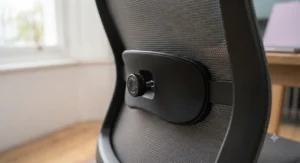
The M57’s party trick is a dual-adjustable lumbar pad that moves both vertically and horizontally, so instead of guessing at a fixed bump, you dial it in to sit exactly where your own lower back curves inward. In practice, that means shorter and taller sitters can both find genuine contact rather than a pad that lands on your mid-back or misses your waist entirely. The full-mesh backrest and seat keep air moving, the 3D armrests shift up, forward-back, and rotate, and the recline stretches to a generous 126 degrees for proper breaks. Based on the spec sheet, this is doing things chairs twice the price were doing five years ago — a reinforced aluminium base rated to roughly 150kg backs that up with real stability rather than marketing fluff. Reviewers consistently describe the lumbar wheel as “basic but effective,” and independent testing found the two-way adjustment “does the trick,” even if taller reviewers around six feet noted the backrest running a little short for them. This is the chair for someone who wants proper, tuneable lower-back support without wandering into four-figure territory, and it suits home workers, students, and anyone setting up their first serious desk chair.
Pros:
- ✅ Dual-adjustable lumbar shifts both up/down and in/out
- ✅ Full mesh build stays cool during long sessions
- ✅ 3D armrests adjust in three directions for free
Cons:
- ❌ Taller users (6ft+) may find the backrest a touch short
- ❌ Lumbar mechanism feels basic next to pricier dynamic systems
At around £180-£230 (check current price, as this model is frequently discounted during Amazon sale events), the M57 offers some of the best pound-for-pound ergonomic adjustability on the market, and it’s a smart starting point if you’re not yet sure how much lumbar adjustability you actually need.
2. Hbada P3 Pro — best lockable lumbar for tight budgets
What sets the P3 Pro apart from other sub-£200 chairs is that its 2D lumbar support actually locks in place, front and back, instead of springing back to a default position every time you shift your weight. That solves a genuine complaint with cheaper lumbar systems, where the “adjustable” pad barely holds its setting once you lean forward to type. Here, the lumbar unit lifts and tilts, then stays put, sharing pressure across a wider section of the lower back rather than pressing into one spot. The three-layer mesh construction is a step up from the single-layer weave you’ll find on cheaper alternatives, giving noticeably less sag after a few months of daily use, while the 3D headrest and armrests cover the adjustment range most home workers actually use day to day. On paper this means you’re getting locking lumbar adjustability, headrest support, and three-layer mesh durability for less than many single-feature competitors charge — a genuinely good spec-to-price ratio. Owner feedback frequently mentions the chair “making a huge difference” to home-office comfort, with the adjustable lumbar and headrest singled out as the standout features, though the 120kg weight limit is a real ceiling worth checking before you buy.
Pros:
- ✅ Lockable 2D lumbar support holds position, front and back
- ✅ Three-layer mesh resists sagging better than single-layer designs
- ✅ 3D headrest and armrests cover most everyday adjustment needs
Cons:
- ❌ 120kg weight limit rules out bigger and taller users
- ❌ Armrest padding is thin for resting elbows all day
Sitting in the £150-£200 range, the P3 Pro is arguably the best entry point if this is your first proper ergonomic chair and you want to feel the difference locking lumbar support makes before spending more.
3. FlexiSpot C7 — best dynamic lumbar for long, varied days
The C7’s lumbar cushion doesn’t just adjust to a fixed spot — it’s designed to continue tracking your posture as you move through the day, easing off slightly when you lean back and firming up again as you sit forward. What most buyers overlook about this kind of dynamic system is that it’s solving a different problem to a simple fixed pad: it’s not just filling a gap once, it’s staying in contact as your spine’s position genuinely changes between typing, reading, and reclining for a call. Layered on top of that is a seat that slides forward and back for proper depth adjustment, a headrest with height and tilt control, and armrests that rotate the full 360 degrees — a level of adjustability that’s genuinely rare below the £400 mark. Independent reviewers have called the lumbar support here “a highlight” of the whole chair, noting that once it’s dialled in correctly it becomes something you stop consciously noticing, which is really the goal of good lumbar support. The trade-off, and it’s a fair one to flag honestly, is that the adjustment lever for lumbar height sits behind the backrest in an awkward spot, and more than one reviewer found the assembly instructions genuinely confusing on first attempt.
Pros:
- ✅ Dynamic lumbar cushion tracks your movement automatically
- ✅ Fully adjustable seat depth suits different leg lengths
- ✅ 360-degree rotating armrests are rare at this price point
Cons:
- ❌ Lumbar adjustment lever sits in an awkward blind spot
- ❌ Assembly instructions are widely reported as confusing
Priced in the £350-£400 range (with the optional footrest typically adding a little more), the C7 is best suited to people who sit for genuinely long, varied days — mixing focused work, calls, and short breaks — rather than a single fixed posture.
4. Duramont Ergonomic Office Chair — best for simple, no-fuss assembly
Duramont’s pitch is a 4D lumbar support system that moves up, down, in, and out, giving you more axes of adjustment on paper than most sub-£250 rivals. Here’s what the spec sheet won’t tell you, but user reports suggest: that 4D range is genuinely useful for dialling in position, but the actual bump projects less far forward than premium dynamic systems, so if you’ve got a pronounced lumbar curve or a diagnosed condition, you may find the support present but modest rather than transformative. Where this chair earns its keep is everywhere else — the breathable mesh back keeps you cool, the memory foam seat cushion holds its shape well, and the rollerblade-style caster wheels genuinely glide across hardwood and laminate floors more smoothly than the standard plastic casters bundled with cheaper chairs. Independent lab-style testing rated it “just below average” for outright comfort compared with premium rivals, but specifically praised the tilt-tension knob as easy to reach and use, and noted assembly took a reasonable 25-35 minutes with clear, well-illustrated instructions — genuinely useful if flat-pack furniture usually fills you with dread.
Pros:
- ✅ 4D lumbar support moves up, down, in and out
- ✅ Rollerblade-style wheels glide smoothly on hard floors
- ✅ Straightforward assembly with clear, illustrated instructions
Cons:
- ❌ Lumbar bump has limited forward travel versus premium rivals
- ❌ Armrests are fixed height on the standard configuration
At around £190-£240, the Duramont suits buyers who want honest, mid-pack ergonomic performance without wrestling with a confusing assembly manual on a Sunday afternoon.
5. Hbada E3 Pro — best for bigger and taller frames
Most lumbar systems are built around an average frame, which is precisely why the E3 Pro’s three-zone design stands out: a central panel supports the spine’s midline while two side wings rotate independently to wrap around the wider muscles either side of the lumbar spine, rather than just pressing on the centre. Hbada’s own pressure testing claims a 25% reduction in localised pressure compared with a conventional single-pad lumbar support, and while that’s a manufacturer figure rather than an independently verified one, the underlying logic checks out — wraparound support genuinely distributes load more evenly than a single point of contact. The chair is explicitly built for a wider height range (roughly 5’3″ to 6’3″), with a 4D headrest and 6D armrests giving the kind of fine adjustment usually reserved for chairs costing considerably more. Reviewers frequently flag the lumbar wings and adjustable headrest as the standout features, describing the fit as snug around the hips and shoulders without being restrictive. The trade-offs are size and price: this is a physically larger chair that needs more floor space, and it costs meaningfully more than single-zone lumbar rivals in this list.
Pros:
- ✅ Three-zone lumbar wings wrap around the lower back
- ✅ Built to properly support bigger and taller frames
- ✅ 4D headrest and 6D armrests allow fine-tuned posture control
Cons:
- ❌ Bulkier footprint needs more floor space than rivals
- ❌ Costs more than simpler single-zone lumbar chairs
Sitting in the £250-£320 range, the E3 Pro is the pick if standard “one-size-fits-most” chairs have consistently missed your lower back in the past.
6. Amazon Basics Ergonomic High-Back Office Chair — best genuine budget pick
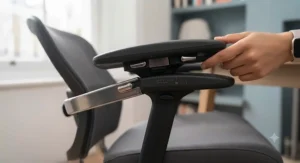
There’s a temptation to assume “budget” and “lumbar support” don’t belong in the same sentence, but this Amazon Basics model proves that wrong at a genuinely low price point. The adjustable lumbar support here is simpler than anything else on this list — it’s a fixed-shape bulge that moves in height only, rather than depth — but it’s still a meaningful upgrade over the flat-backed task chairs that dominate this price bracket. Flip-up armrests free up legroom when you need to tuck fully under the desk, and the cable-actuated tilt and height controls are simple enough that you genuinely won’t need the manual. What most buyers overlook about chairs at this price is that the honest limiting factor isn’t the lumbar shape, it’s the foam density — cushioning here compresses noticeably faster under daily eight-hour use than the pricier options in this list, so if you’re planning to keep a chair five-plus years, factor in an earlier replacement cycle. For lighter, part-time desk use or a first home-office setup on a genuinely tight budget, though, it’s a sensible, honest choice rather than a compromise dressed up as a bargain.
Pros:
- ✅ Genuinely low price point for adjustable lumbar support
- ✅ Flip-up armrests free up space under the desk
- ✅ Simple cable-actuated controls need no manual
Cons:
- ❌ Lumbar bulge is fixed in shape, height-adjustable only
- ❌ Padding compresses noticeably after a year of daily use
Priced under £150, this is the sensible pick if you need a genuine upgrade from a dining chair or an old flat-backed task chair without stretching the budget.
7. Herman Miller Sayl — best premium, buy-once chair
The Sayl takes a fundamentally different approach to lumbar support than everything else on this list: rather than a separate pad, its unframed 3D Intelligent suspension back is engineered to flex and provide passive PostureFit sacral support that helps your spine hold its natural S-shape as you move, with an optional adjustable lumbar unit available for a further 10cm of fine-tuning on top of that. Here’s what the spec sheet doesn’t fully capture: because the whole back flexes rather than staying rigid, the chair moves with you through recline and forward-lean rather than fighting your posture, which independent reviewers have repeatedly praised as feeling “healthful” rather than restrictive over long sessions. Designed by Yves Béhar with visible engineering inspired by suspension bridges, it’s also a genuine design icon — one of a small handful of office chairs to be held in a permanent design museum collection — and it’s up to 90% recyclable at end of life, backed by a substantial multi-year warranty that reflects real confidence in long-term durability. The honest catch is cost: the base lumbar support ships as standard on some configurations but as a paid option on others, and even before that add-on, this sits well above every other chair on this list.
Pros:
- ✅ PostureFit sacral support maintains the spine’s natural S-curve
- ✅ Unframed suspension back flexes naturally with movement
- ✅ Long warranty period reflects genuine long-term build quality
Cons:
- ❌ Optional lumbar support costs extra on some configurations
- ❌ Price puts it out of reach for casual or occasional home offices
At around £700-£900 (prices vary meaningfully by finish and configuration, so always check current price), the Sayl is the pick for anyone treating a chair as a decade-long investment in their spine rather than a one-off purchase.
Real-World Scenarios: Which Chair Fits Which Life?
Picking a chair from a spec sheet is one thing; picking one that fits your actual week is another. Take a freelance copywriter working from a spare bedroom, sitting eight to ten hours a day with no employer covering the cost — for them, the SIHOO M57 or Hbada P3 Pro make the most financial sense, delivering genuinely adjustable lumbar support without the premium price tag of a chair they’re funding entirely themselves. Contrast that with a software developer who’s 6’4″ and has struggled for years with chairs where the lumbar pad lands somewhere around the shoulder blades — the Hbada E3 Pro’s wider size range and three-zone wings are built precisely for that mismatch, while the Amazon Basics option would likely leave them exactly as unsupported as before. Then there’s the hybrid worker splitting three days at a corporate desk and two at home, who might reasonably justify the FlexiSpot C7 for home use precisely because the dynamic lumbar tracking earns its keep across genuinely varied sitting positions rather than one fixed posture all day. Finally, picture someone recovering from a lower-back injury under physiotherapy guidance, whose consultant has specifically recommended a chair with fully independent lumbar depth and height control — here, the investment case for the Herman Miller Sayl, or at minimum the FlexiSpot C7, becomes about medical necessity rather than luxury.
Problem → Solution: Fixing the Most Common Lumbar Support Complaints
Even a good office chair with lumbar support goes wrong if it’s set up incorrectly, so here are the fixes for the problems we see reported most often. If the lumbar pad presses too high and digs into your mid-back rather than your waist, lower it until you feel contact right at your belt line, not above it — on chairs like the SIHOO M57 or Duramont this is usually a simple slider you’re not using to its full range. If you find yourself sliding forward in the seat until your back leaves the support entirely, that’s very often a seat-depth issue rather than a lumbar one: the front of the seat pan is too long for your thighs, pushing you forward, and chairs with adjustable seat depth (the FlexiSpot C7 and Hbada E3 Pro both offer this) solve it directly, while others need a lumbar cushion pulled forward to compensate. If the lumbar support feels firm to the point of being uncomfortable within the first week, that’s often just an adjustment problem rather than a faulty product — most dynamic systems, including the FlexiSpot C7’s, need a genuine settling-in period of adjustment before the feel becomes natural. And if you’re getting numbness or tingling rather than simple stiffness, that’s a signal to stop guessing with chair settings altogether and speak to a GP or physiotherapist, since persistent back pain with nerve symptoms needs a professional assessment rather than an ergonomics tweak.
Buyer’s Decision Framework
If you sit for more than six hours a day and have no diagnosed back condition, choose a chair with at least 2D adjustable lumbar support (SIHOO M57, Hbada P3 Pro) because that covers the vast majority of comfort needs without overspending. If you’re over 6’1″ or under 5’3″, choose a chair explicitly rated for your height range (Hbada E3 Pro, or check Herman Miller’s size guidance) because standard mid-sized lumbar pads simply land in the wrong place on outlier frames. If your job mixes focused typing, video calls, and reading across the day, choose dynamic lumbar support that moves with you (FlexiSpot C7) because a fixed pad only truly fits one posture. If your budget is under £150 and daily use is light to moderate, choose the simplest genuinely adjustable option (Amazon Basics High-Back) rather than a non-adjustable chair, because even basic height adjustment beats none. And if you’ve had a professional recommend specific ergonomic features, or you’re planning to keep one chair for a decade or more, choose the option with the most independently adjustable lumbar axes and the longest warranty (Herman Miller Sayl) because the cost per year of ownership often works out lower than replacing a cheaper chair three times over.
Understanding Lumbar Lordosis and the Neutral Spine
To understand why any of this matters, it helps to understand what your lower back is actually doing. The lumbar spine naturally curves slightly inward — a shape called lordosis, and specifically lumbar lordosis when referring to this section of the back — and maintaining that inward curve support while seated is the entire point of a lumbar-support backrest. When you sit in a chair with no lower-back shaping, gravity and gut instinct pull your pelvis backward, your lumbar spine flattens or even reverses into a slight outward curve, and the discs and ligaments in that region end up bearing load they’re not well designed to hold for hours at a stretch. Reviewers consistently describe good lumbar support as something that “disappears” once correctly set — you stop noticing it, precisely because it’s doing its job of quietly maintaining that inward curve rather than fighting your posture.
Lumbar lordosis maintenance, in practical terms, means keeping that natural inward shape supported consistently rather than occasionally correcting a slouch after the fact. This is where the difference between a static and dynamic lumbar system becomes real rather than theoretical: a static pad supports the curve in one fixed position, which is fine if you sit rigidly upright all day, but most of us don’t — we lean forward to read, recline to think, and twist to reach for a coffee. Achieving a genuine lower spine neutral position, where the natural curve is supported without being forced or exaggerated, generally means combining three things: a lumbar pad set at the correct height (roughly at belt-line), a seat depth that lets your back reach the backrest fully, and a recline angle open enough (100-110 degrees is a commonly cited comfortable range) that you’re not folding forward at the hip. Get those three right on any of the seven chairs above, and the lumbar system does the rest.
How to Choose an Office Chair With Lumbar Support
Here’s a practical, step-by-step approach for narrowing down your shortlist:
- Measure your actual sitting hours. Under four hours a day, a basic adjustable pad is often enough; over six hours, invest in a dynamic or multi-axis system.
- Check the height range against your own. Most standard chairs are built around a 5’4″-5’11” range — outside that, look specifically for “big and tall” or wide-range models.
- Prioritise adjustment axes over marketing terms. “Ergonomic” is unregulated as a label, but “height and depth adjustable lumbar” is a specific, checkable feature.
- Factor in seat depth, not just the backrest. A lumbar pad can’t do its job if the seat pan is too long or too short for your thighs.
- Read aggregated review sentiment, not star averages. A 4.3-star chair with recurring complaints about a specific lumbar mechanism tells you more than the headline number.
- Set a genuine budget band, then check the warranty. A longer warranty on a similarly priced chair is a reasonable proxy for the maker’s confidence in its own lumbar mechanism.
- Plan for a settling-in period. Give any new lumbar system one to two weeks of daily adjustment before deciding it doesn’t work for you.
Common Mistakes When Buying an Office Chair With Lumbar Support
The single most common mistake is buying based on the word “ergonomic” alone, without checking whether the lumbar support is actually adjustable or just a fixed decorative curve in the foam — plenty of budget chairs use the term loosely. A close second is ignoring seat depth entirely, which we’ve already covered above, but it bears repeating because it’s the single most overlooked spec on any comparison table. Buyers also frequently size a chair to their desk rather than their body, choosing based on how it looks in the room rather than whether the lumbar height range actually reaches their own lower back. Another recurring error is expecting immediate comfort: even a well-designed dynamic system like the FlexiSpot C7’s needs deliberate adjustment and a short settling-in period, and dismissing a chair after one uncomfortable afternoon often means giving up before it’s been set up correctly. Finally, people underestimate how much weight capacity and base material matter for long-term stability — a chair rated right at your body weight will feel less supportive and wear out faster than one with meaningful headroom above it.
Mesh vs Foam Lumbar Support: Which Wins?
Mesh-backed chairs like the SIHOO M57 and Hbada P3 Pro use a taut, breathable weave with a separate lumbar unit mounted behind or within it, prioritising airflow and a slightly firmer, more responsive feel against the lower back. Foam-backed and hybrid chairs, including the FlexiSpot C7’s optional configuration and the Amazon Basics model, tend to feel plusher on first sit, with the lumbar shape built directly into denser padding rather than a separate mechanism. Based on the spec comparison, mesh systems generally hold their support shape for longer because there’s no foam to compress and flatten over years of use, which is exactly why most premium ergonomic brands, including Herman Miller with the Sayl’s elastomer suspension back, lean toward tensioned rather than padded backrests. Foam does have a real advantage in colder offices or for people who find mesh’s firmer feel uncomfortable against the spine, so the honest answer is that mesh tends to win on long-term lumbar consistency, while foam wins on initial plushness and warmth.
| Feature | Mesh Lumbar Systems | Foam Lumbar Systems | Best For |
|---|---|---|---|
| Breathability | Excellent, minimal heat build-up | Moderate, can feel warm | Mesh: warm rooms, foam: colder offices |
| Support longevity | Holds shape for years | Compresses gradually over time | Mesh: long-term daily use |
| Initial feel | Firmer, more responsive | Softer, plusher on first sit | Foam: shorter sitting sessions |
| Typical price band | Budget to premium | Budget to mid-range | Either, depending on other features |
As the table shows, neither material is objectively “better” for lumbar support — the right choice depends on how many hours you sit and how your body responds to firmness versus plushness, which is genuinely worth testing in a showroom if one’s accessible to you before committing to an online order.
✨ Ready to Feel the Difference in Your Own Back?
🔍 Compare the seven office chairs above against your own height, weight and daily sitting hours. Click through on any highlighted model to check current pricing and availability on amazon.co.uk before making your final call.
What to Expect: Real-World Performance
Spec sheets and aggregated lumbar support office chair review sentiment tend to agree on one thing: the first three to five days with a genuinely adjustable lumbar system often feel odd rather than instantly comfortable, because your back has adapted to whatever posture your old chair forced on you. Aggregated reviewer sentiment across the SIHOO M57 and Hbada P3 Pro consistently describes a “settling in” period, after which the lumbar contact becomes something people say they “forgot was there” — which is genuinely the sign of a well-fitted system rather than a red flag. On the higher end, reviewers of the Herman Miller Sayl and FlexiSpot C7 report the dynamic or suspension-style support feeling less like a corrective device and more like the chair simply moving with them, particularly during long calls or reading sessions where posture naturally shifts. Independent testing of the Duramont model, by contrast, rated it “just below average” for outright comfort versus premium rivals — a useful reminder that budget lumbar systems, while genuinely functional, don’t disappear into the background quite as completely as the pricier dynamic designs. The honest, unified takeaway across real owner and reviewer feedback is that lumbar support quality tracks fairly closely with price, but every chair on this list — including the sub-£150 option — delivers a measurable improvement over a flat-backed chair with no lumbar shaping at all.
Best Lumbar Support Chair Under £300
If your ceiling is £300, three chairs from this list comfortably clear that bar with genuine adjustability rather than compromise. The SIHOO M57, typically sitting in the £180-£230 range, remains the strongest all-round pick under this budget thanks to its dual-adjustable lumbar and full mesh build. The Hbada E3 Pro, at roughly £250-£320, sits right at the edge of this band and is worth stretching for specifically if you’re outside the average height range, since its three-zone wings genuinely solve a fit problem the M57 can’t. For an even tighter sub-£200 budget within this bracket, the Hbada P3 Pro’s lockable 2D lumbar support is the standout, offering adjustment that actually holds its position rather than springing back — a detail that matters more day to day than most spec sheets suggest. What all three share is a genuine, mechanically adjustable lumbar system rather than a fixed foam bump, which is really the line that separates a lumbar support chair under £300 worth buying from one that’s using the term as a label rather than a feature.
Long-Term Cost & Maintenance
A cheaper chair isn’t automatically the better-value chair once you look past the sticker price. The Amazon Basics High-Back, at under £150, is genuinely good value for light use, but its foam-based lumbar shaping is realistically a two-to-three-year proposition before compression noticeably reduces support — meaning a like-for-like replacement could push its real cost per year above what it first appears. By contrast, the SIHOO M57 and Duramont both carry multi-year warranties (commonly three years) that reflect reasonable confidence in their mesh-and-mechanism lumbar systems holding up under daily use, while the FlexiSpot C7’s warranty stretches considerably further, which matters if you’re planning to keep the chair through several years of daily eight-hour shifts. At the top end, the Herman Miller Sayl’s price looks steep against a £150 budget chair until you divide it across a realistic decade-plus lifespan backed by a long manufacturer warranty — at that point, the cost-per-year of ownership can actually undercut buying and replacing two or three cheaper chairs across the same period. Maintenance itself is low across all seven: wipe mesh down with a damp cloth rather than harsh chemicals, re-tighten visible screws and knobs every few months as the manufacturers themselves recommend, and avoid leaving any chair in direct sunlight, which accelerates foam and mesh degradation regardless of brand.
Safety, Regulations & DSE Compliance
If you’re using your chair for work — whether that’s employed, hybrid, or fully remote — UK law has something to say about it. The Health and Safety (Display Screen Equipment) Regulations require employers to assess workstations, including seating, for anyone who works at a screen for continuous spells of an hour or more, and that assessment explicitly covers whether the chair provides adequate lower-back support. In practice, this means that if you’re working from home and your current chair offers no lumbar support at all, you may be entitled to ask your employer to fund or provide a suitable replacement rather than covering the cost yourself — many organisations set a home-office equipment budget precisely for this reason. None of the seven chairs above are marketed as medical devices, and none of this article should be read as medical advice; if you have a diagnosed spinal condition, a physiotherapist or GP referral is the right route to a chair recommendation tailored to you specifically, rather than a general buying guide. What we can say confidently, based on the specs and aggregated review evidence above, is that moving from a flat-backed or unsupported chair to any of the genuinely adjustable options here is a reasonable, low-risk step toward better seated posture for most healthy adults doing typical desk-based work.
Frequently Asked Questions
❓ Do all office chairs have lumbar support?
❓ How do I know if my lumbar support is positioned correctly?
❓ Is mesh or foam better for lumbar support?
❓ Can a lumbar support chair fix existing back pain?
❓ What's a reasonable budget for a genuinely adjustable lumbar support chair?
Conclusion
There’s no single “best” office chair with lumbar support — there’s the one that actually fits your height, your budget, and the number of hours you genuinely spend sitting each day. If you want the strongest all-round value, the SIHOO M57’s dual-adjustable lumbar system is hard to beat under £250. If you’re outside the average height range, the Hbada E3 Pro’s three-zone wings are worth the extra spend. And if you’re treating this as a decade-long investment in your spine rather than a one-off purchase, the Herman Miller Sayl’s suspension-back PostureFit design earns its premium price. What matters more than any single spec, though, is actually using the adjustability you’re paying for — setting lumbar height at belt-line, checking seat depth against your own thighs, and giving any new chair a genuine week or two to feel right before judging it. Do that, and any of the seven chairs above should leave your lower back considerably better off than whatever you’re sitting in right now.
✨ Don’t Miss These Exclusive Deals!
🔍 Take your home office setup to the next level with these carefully selected office chairs with lumbar support. Click on any highlighted model to check current pricing and availability, and give your back the everyday support it’s been missing.
Recommended for You
- Best Office Chair to Improve Blood Flow to Legs: 7 Top UK Picks (2026)
- Best Office Chair for Poor Circulation: 7 Top UK Picks (2026)
- 7 Best Office Chair for Hip Pain UK 2026
Disclaimer: This article contains affiliate links. As an Amazon Associate, I earn from qualifying purchases. If you purchase products through these links, we may earn a small commission at no additional cost to you.
✨ Found this helpful? Share it with your friends! 💬🤗
